


 Video Converter Ultimate
 บันทึกหน้าจอ
 ซ่อมวิดีโอ
แสดงอารมณ์ของคุณได้ดีขึ้นด้วยเครื่องสร้าง GIF 8 อันดับแรกออนไลน์บนพีซีและ Mac
สิ่งแรกที่เรานึกถึงเมื่อพูดถึง GIF คือเรื่องตลก ภาพวิดีโอที่เรียบง่ายเหล่านี้สามารถเปลี่ยนข้อความธรรมดาของเราให้กลายเป็นเพลงที่มีชีวิตชีวายิ่งขึ้น ดังนั้น GIF จึงเป็นที่นิยมในปัจจุบันเนื่องจากแสดงอารมณ์ที่เกินจริงบางอย่างที่เราต้องการให้โลกเห็น แต่มันง่ายกว่าจริง ๆ ที่จะเพิ่ม GIF ในข้อความของคุณเพื่อแสดงอารมณ์ของคุณได้ดีขึ้น แต่ไม่ใช่ว่า GIF ทั้งหมดบนอินเทอร์เน็ตจะให้อารมณ์เฉพาะที่คุณต้องการแสดง ดังนั้นการมี GIF ที่ทำให้เข้าใจผิดสามารถให้ข้อความของคุณโดยมีเจตนาที่ผิด แต่แทนที่จะค้นหาทางอินเทอร์เน็ตหรือขึ้นอยู่กับแอพส่งข้อความของคุณ ทำไมคุณไม่ทำ GIF ของคุณเองล่ะ

ที่จริงแล้ว การสร้างไฟล์ GIF สักไฟล์นั้นทำได้ง่ายมาก หากคุณกำลังมองหาโปรแกรมทำ GIF ออนไลน์ที่ดีที่สุด คุณก็มาได้ถูกที่แล้ว ดังนั้นคุณควรให้ความสนใจกับรายชื่อด้านล่างนี้ และดูว่าตัวไหนที่สร้าง GIF ได้ดีที่สุดสำหรับใช้แสดงอารมณ์ของคุณ หรือจะช่วยผู้ใช้อื่นที่กำลังลำบากกับการหา GIF ดี ๆ เพื่อแสดงความรู้สึกก็ได้ การเรียนรู้วิธีสร้าง GIF เองและช่วยผู้อื่นไปพร้อมกันก็เหมือนยิงนกได้สองตัวด้วยหินก้อนเดียว ดังนั้นโดยไม่ต้องอธิบายเพิ่มเติม เรามาดูกันว่ามีตัวไหนบ้างที่ดีที่สุด และจะใช้ให้ถูกวิธีเพื่อสร้าง GIF ที่โดดเด่นได้อย่างไร รายการด้านล่างคือ 8 โปรแกรมทำ GIF ชั้นนำที่คุณอาจเจอได้ฟรีบนเว็บ.
ด้านบน 1. โปรแกรมแปลงวิดีโอออนไลน์ฟรี
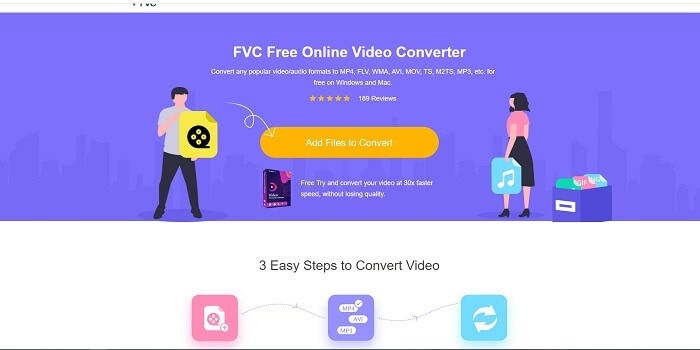
หากคุณกำลังมองหาโปรแกรมทำ GIF ออนไลน์ที่ยอดเยี่ยม ตัวนี้เหมาะสำหรับคุณ และควรอ่านอย่างตั้งใจเพื่อจะได้เข้าใจมากขึ้น FVC free online video converter เครื่องมือนี้เป็นเว็บทูลที่คุณสามารถพบได้ทั่วไปบนอินเทอร์เน็ต วิธีที่ดีที่สุดในการสร้าง GIF จากวิดีโอคือการแปลงวิดีโอให้เป็นรูปแบบ GIF คุณอาจจะสงสัยว่า จริง ๆ แล้วสามารถสร้าง GIF ด้วยโปรแกรมแปลงไฟล์แทนโปรแกรมทำ GIF โดยตรงได้หรือไม่? คำตอบคือได้ และนี่คือวิธีที่ง่ายกว่าด้วยซ้ำ แต่ว่าเครื่องมือนี้ไม่เหมือนกับโปรแกรมแปลงไฟล์หรือโปรแกรมทำ GIF ตัวอื่นในรายชื่อด้านล่าง เพราะต่างจากเครื่องมืออื่น ๆ บนอินเทอร์เน็ต เครื่องมือนี้มีการแปลงไฟล์ที่เร็วและเสถียรเป็นพิเศษที่คุณน่าจะชอบใช้ ไม่มีการจำกัดจำนวนครั้งในการแปลง หมายความว่าคุณจะแปลงวิดีโอหรือไฟล์เสียงกี่ไฟล์ก็ได้ตราบใดที่มีอินเทอร์เน็ตใช้งาน และยังไม่จำกัดขนาดไฟล์แค่ไม่กี่ MB อีกทั้งคุณภาพไฟล์ที่ได้ก็ยอดเยี่ยมมาก.
แต่คุณรู้หรือไม่ว่าเครื่องมือนี้ยังมีเวอร์ชันพรีเมียมที่ไร้คู่แข่งอีกด้วย จนได้ชื่อว่าเป็นเหมือนบิดาแห่งโปรแกรมแปลงไฟล์ นั่นคือโปรแกรม Video Converter Ultimate เครื่องมือนี้มอบประสบการณ์การแปลงไฟล์ที่ดียิ่งขึ้นให้กับผู้ใช้ ด้วยความเร็วในการแปลงที่สูงและฟีเจอร์ระดับพรีเมียม รวมถึงรองรับรูปแบบไฟล์แทบทุกชนิดที่คุณรู้จัก แตกต่างจากเครื่องมืออื่น ๆ ในลิสต์นี้และบนเว็บทั่วไป Ultimate Converter ถือเป็นโปรแกรมทำ GIF ที่ดีที่สุดสำหรับแปลงไฟล์วิดีโอใด ๆ ให้เป็น GIF นอกจากนี้คุณยังสามารถใส่ลูกเล่นส่วนตัวลงไปใน GIF เพื่อให้สื่ออารมณ์ได้มากขึ้น ความเร็วในการแปลงเป็น GIF นั้นเร็วกว่าเวอร์ชันออนไลน์ถึง 30 เท่า และเร็วกว่าโปรแกรมแปลงไฟล์หรือโปรแกรมทำ GIF ตัวอื่นด้านล่างถึง 100 เท่า คุณสามารถใช้งานได้โดยติดตั้งลงในเครื่อง แม้ว่าจะเป็นโปรแกรมเสียเงิน แต่ก็ไม่ได้มีค่าใช้จ่ายสูงนัก และที่สำคัญมันเป็นโปรแกรมแปลงไฟล์สารพัดประโยชน์ โดยเฉพาะด้าน GIF ดังนั้นไม่ต้องคาดหวังให้น้อยลง เพราะเครื่องมือนี้ทำได้มากกว่าแค่โปรแกรมแปลงไฟล์ธรรมดา ๆ.
ดาวน์โหลดฟรีสำหรับ Windows 7 ขึ้นไปดาวน์โหลดอย่างปลอดภัย
ดาวน์โหลดฟรีสำหรับ MacOS 10.7 ขึ้นไปดาวน์โหลดอย่างปลอดภัย
แต่สำหรับตอนนี้ เรามาเน้นที่เครื่องมือออนไลน์ฟรีของซอฟต์แวร์นี้กัน ดังนั้น เพื่อให้หลักฐานแก่คุณว่าเครื่องมือออนไลน์นี้มีประสิทธิภาพมากในการแปลง คุณต้องทำตามขั้นตอนด้านล่างนี้ หากคุณมีข้อสงสัยเกี่ยวกับเรื่องนี้ แต่เพื่อบอกคุณว่า ไม่ใช่คุณลักษณะทั้งหมดใน Converter Ultimate อยู่ที่นี่ในเครื่องมือออนไลน์ แต่สร้างรูปแบบที่น่าประหลาดใจอย่างแท้จริง
ขั้นตอนที่ 1. เพื่อเริ่มใช้งานเครื่องมือ ให้คลิกที่ลิงก์เพื่อเข้าสู่เว็บไซต์หลักของ FVC.
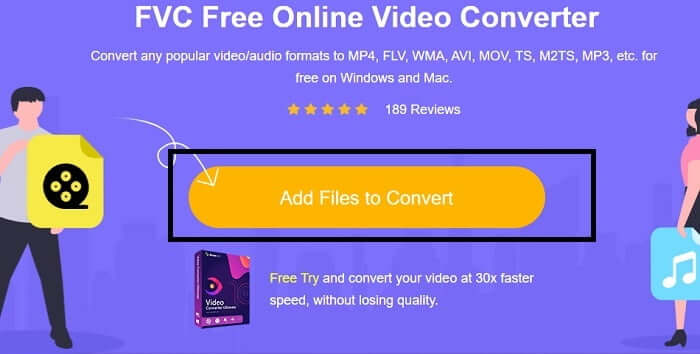
ขั้นตอนที่ 2. คลิก Add Files to Convert แล้วกด Allow เพื่อเปิดตัวโปรแกรมแปลงไฟล์.
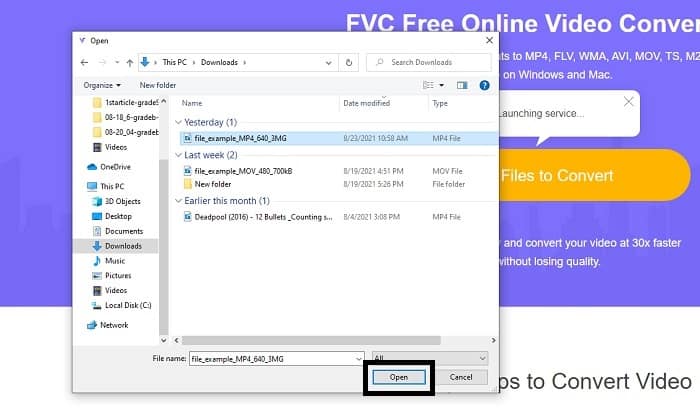
ขั้นตอนที่ 3. หากหน้าต่างเลือกไฟล์แสดงขึ้นมาบนหน้าจอ แสดงว่าคุณทำถูกแล้ว ให้หาและคลิกไฟล์วิดีโอที่ต้องการแปลง แล้วกด Open.
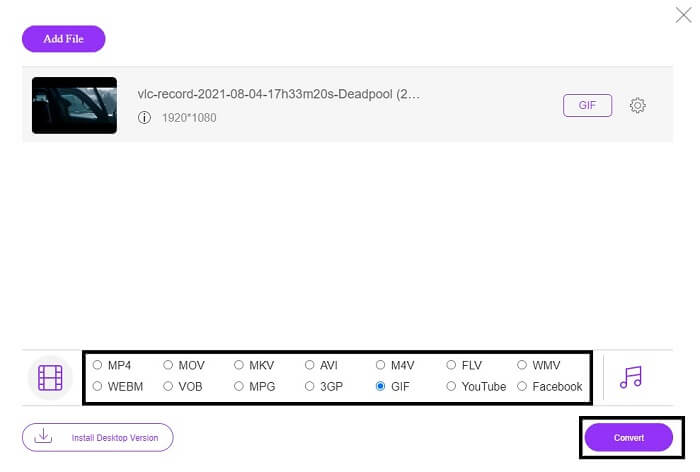
ขั้นตอนที่ 4. เปลี่ยนรูปแบบไฟล์เป็น GIF สำหรับข้อมูลเพิ่มเติม คุณยังสามารถแปลงวิดีโอหรือเสียงของคุณให้เป็นรูปแบบอื่นที่เหมาะสมได้เช่นกัน หากทุกอย่างพร้อมแล้ว ให้คลิก Convert เพื่อเริ่มการแปลง แล้วเลือกโฟลเดอร์ปลายทางสำหรับไฟล์ที่เสร็จเรียบร้อย.
ขั้นตอนที่ 5. เมื่อการแปลงเสร็จสิ้น หน้าต่างเลือกไฟล์จะเด้งขึ้นมาบนหน้าจอ ให้หาไฟล์ผลลัพธ์ที่ได้ แล้วนำไปใช้งานให้เต็มที่.
อันดับ 2. Ezgif
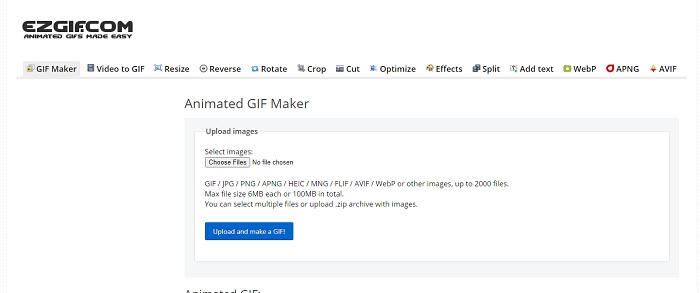
หนึ่งในโปรแกรมทำ GIF ออนไลน์ที่ดีที่สุด คือ Ezgif ด้วยเครื่องมือนี้คุณสามารถสร้าง GIF เพื่อปรับแต่ง ย่อขนาด ครอบตัด เพิ่มประสิทธิภาพ ใส่ข้อความ และอื่น ๆ อีกมากมาย นอกจากนี้ยังสามารถแปลงวิดีโอให้เป็นรูปแบบ GIF ได้เท่านั้น แม้ฟีเจอร์จะมีเยอะ แต่แต่ละฟีเจอร์จะถูกแยกออกจากกัน ดังนั้นแทนที่จะทำทุกอย่างในหน้าเดียว คุณต้องสลับไปมาระหว่างหน้าต่างสร้างกับหน้าแก้ไข ซึ่งทำให้ใช้งานค่อนข้างยุ่งยาก โดยเฉพาะอย่างยิ่งที่คุณไม่สามารถลากแล้ววางไฟล์เพื่ออัปโหลดได้ง่าย ๆ แม้จะมีข้อเสียเหล่านี้ แต่ก็ยังถือเป็นหนึ่งในโปรแกรมทำ GIF ออนไลน์ที่ดี.
ด้านบน 3. Imgflip
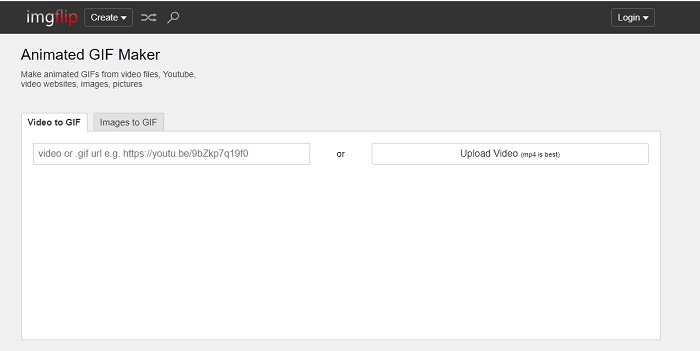
โปรแกรมทำ GIF ออนไลน์จากวิดีโอและลิงก์ ที่ให้โอกาสดีในการสร้าง GIF ตัวนี้ก็เหมาะกับคุณ Imgflip ช่วยให้คุณสร้างมีม GIF หรือแผนภูมิ และทำหน้าที่ได้ดี นอกจากนี้ยังมีการแก้ไข GIF แบบง่าย ๆ ให้ด้วย แต่ความละเอียดสูงสุดที่ให้ได้ในเวอร์ชันฟรีคือ 360 พิกเซล ส่วนเวอร์ชันพรีเมียมคือ 480 พิกเซล ซึ่งหมายความว่าหากวิดีโอของคุณเป็น 1080 หรือ 4K คุณภาพของไฟล์สุดท้ายจะลดลงมากกว่าที่คุณคาดหวัง.
อันดับ 4 Visme
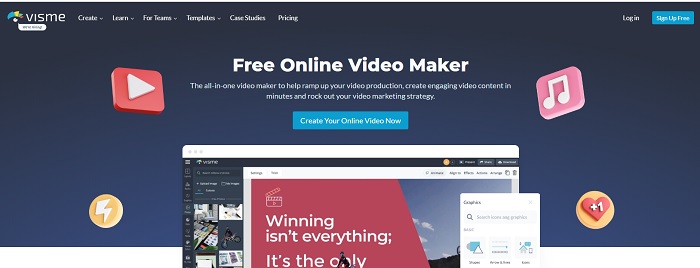
เครื่องมือนี้ช่วยให้คุณมีรายละเอียดมากขึ้นใน GIF ของคุณ Visme เป็นที่รู้จักเนื่องจากมีผู้สร้างวิดีโอที่มีรายละเอียดมากขึ้น นอกจากนี้ เครื่องมือนี้ยังต้องลงชื่อเข้าใช้บัญชีของคุณก่อนที่คุณจะได้รับอนุญาตให้ใช้งานได้ คุณสามารถใช้ Facebook, Gmail หรือลงทะเบียนบนเว็บไซต์ของพวกเขา ดังนั้น หากคุณเป็นแฟนตัวยงของความเป็นส่วนตัว เครื่องมือนี้จึงไม่ใช่ตัวเลือกที่ดี แม้ว่าการลงชื่อเข้าใช้เครื่องมือนี้จะไม่ทำให้ข้อมูลเกี่ยวกับคุณรั่วไหล แต่พวกเราบางคนไม่ต้องการให้ข้อมูลที่สำคัญเกี่ยวกับเรา เนื่องจากเราต้องการให้ข้อมูลของเรามีความเป็นส่วนตัวมากขึ้นและเพื่อความปลอดภัยของเรา แต่ไม่ต้องกังวลไปเพราะไม่มีกรณีที่เครื่องมือนี้รั่วไหลความเป็นส่วนตัวของคุณ
5 อันดับสูงสุด FreeGIFMaker.me
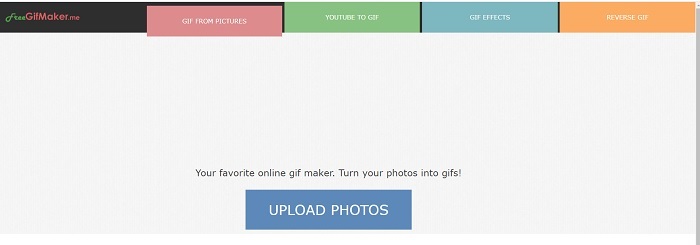
หากคุณกำลังมองหาลิงค์วิดีโอเพื่อแปลง GIF นี่เหมาะสำหรับคุณ สนับสนุนเฉพาะลิงก์วิดีโอแพลตฟอร์ม YouTube เท่านั้น ฟรีGIFMaker. สามารถทำวิดีโออย่างง่ายเพื่อแปลง GIF แต่ยังให้รูปภาพแก่ gif แก้ไข gif ของคุณและย้อนกลับ gif แม้ว่าเครื่องมือนี้จะมีคุณลักษณะทั่วไปที่เครื่องสร้าง GIF ควรมี แต่ก็ยังไม่ใช่เครื่องมือที่ดีที่สุด แต่สามารถใส่ไว้ในรายชื่อผู้ผลิต GIF ชั้นนำ 30 อันดับแรกได้ คุณลักษณะที่แสดงอยู่ในส่วนต่างๆ ดังนั้นแทนที่จะสร้างเอาต์พุต GIF ขั้นสุดท้ายด้วยการแก้ไข คุณจะต้องดำเนินการแก้ไขตามต้องการ
อันดับ 6 สร้าง Gif
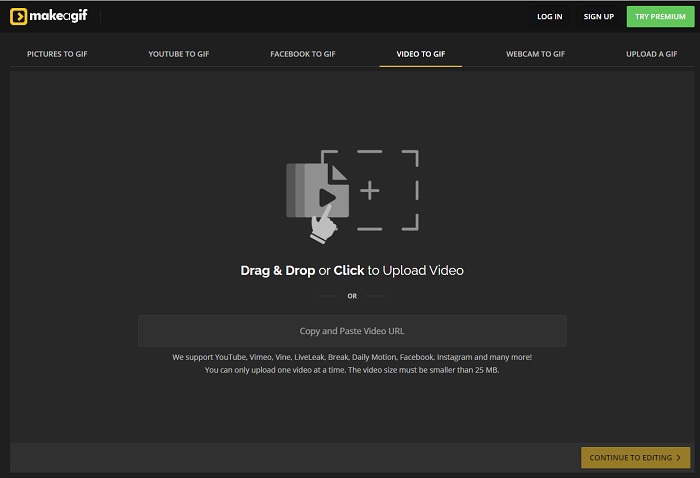
อีกหนึ่งโปรแกรมทำ GIF ออนไลน์ที่คุณอาจเคยเห็นบนเว็บ Make A Gif มอบอินเทอร์เฟซที่ดูสบายตา หากคุณชอบโทนมืด ๆ เครื่องมือนี้ตอบโจทย์ มันค่อนข้างยืดหยุ่นเพราะเน้นสร้าง GIF จากหลายแหล่ง ไม่ว่าจะเป็นรูปภาพ วิดีโอ Facebook วิดีโอ YouTube วิดีโอของคุณเอง หรือวิดีโอจากเว็บแคม แต่อย่างไรก็ตาม วิดีโอที่นำเข้าแต่ละครั้งต้องมีขนาดน้อยกว่า 25MB หากคุณอยากทำ GIF ยาว ๆ เครื่องมือนี้อาจไม่เหมาะ แต่ถ้าต้องการ GIF สั้น ๆ ประมาณ 10 วินาที ก็ถือว่าเหมาะมาก.
ด้านบน 7. โปรแกรมแก้ไขรูปภาพออนไลน์
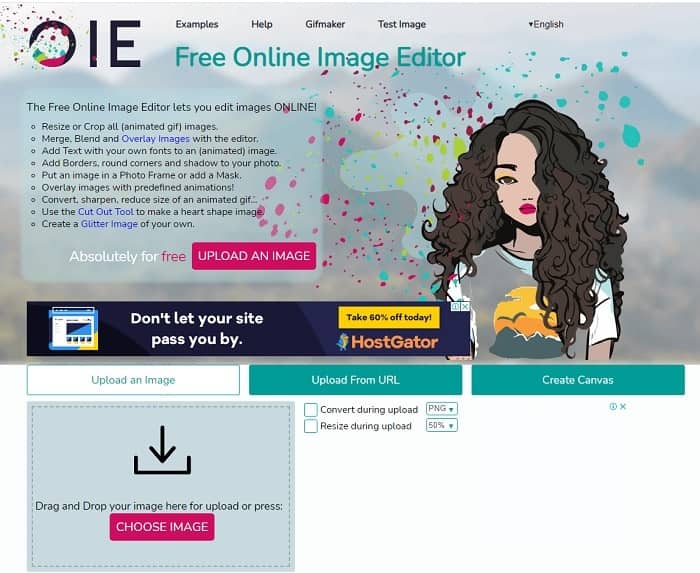
เครื่องมือนี้ช่วยให้คุณแก้ไขรูปภาพและแปลงเป็นรูปแบบ GIF โปรแกรมแก้ไขรูปภาพออนไลน์ช่วยให้คุณสร้าง GIF โดยใช้รูปภาพของคุณ นอกจากนี้ยังมีแอนิเมชั่นและคุณสมบัติเครื่องมือแก้ไขอย่างง่ายอีกด้วย แต่มันยากกว่าที่จะสร้าง GIF ด้วยเครื่องมือนี้เพราะคุณต้องใช้เวลาในการสร้าง ดังนั้น หากคุณเพิ่งเริ่มสร้าง GIF เครื่องมือนี้อาจดีแต่ไม่ดีที่สุดสำหรับคุณ มันเหมือนกับว่าคุณกำลังสร้าง GIF บน Photoshop แต่แย่กว่านั้นมากเพราะตัวเครื่องมือเอง แม้ว่าหน้าเว็บหลักจะมีความโดดเด่น แต่อินเทอร์เฟซของเครื่องมือก็เรียบง่ายจนดูน่าเบื่อไปครั้งแล้วครั้งเล่า ดูเหมือนว่ายังไม่มีใครอัปเดตอินเทอร์เฟซอยู่ แต่ถึงกระนั้นก็เป็นตัวเลือกที่ดีหากคุณต้องการสร้าง GIF พร้อมรูปภาพ
8 อันดับสูงสุด Kapwing
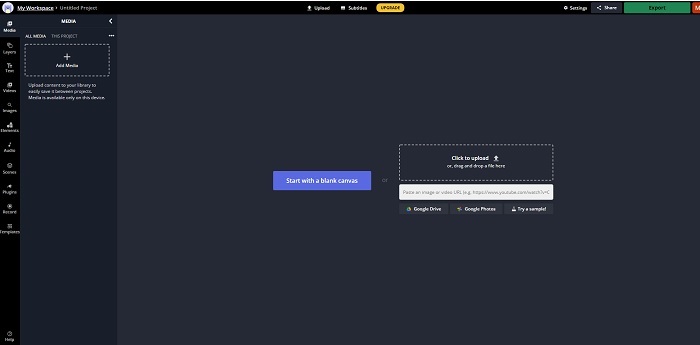
เครื่องมือนี้เป็นอีกหนึ่งโปรแกรมทำ GIF ออนไลน์ฟรี ที่ให้ความรู้สึกคล้ายใช้งาน Photoshop แต่ทำงานผ่านเบราว์เซอร์ Kapwing ช่วยให้คุณสร้าง GIF จากวิดีโอหรือภาพที่คุณมี แม้ว่าชื่ออาจฟังดูแปลกหรือไม่คุ้นหู แต่ก็เป็นตัวเลือกที่ดีสำหรับการทำ GIF แบบแอนิเมชันออนไลน์ เครื่องมือนี้ไม่ใช่โปรแกรมแปลงไฟล์ แต่เป็นโปรแกรมทำ GIF โดยตรง และยังสามารถแชร์ไฟล์ที่เสร็จแล้วไปยังแอปยอดนิยมอย่าง Facebook, Twitter และ Instagram ได้ แม้จะสร้าง GIF ได้ง่าย แต่การส่งออกวิดีโอค่อนข้างช้ากว่าเครื่องมืออื่น ๆ ในลิสต์ ดังนั้นหากอินเทอร์เน็ตคุณช้า ก็ยังพอใช้ได้ แต่ควรคาดว่าจะต้องรอนานขึ้นกว่าจะได้ไฟล์สุดท้าย ระยะเวลาวิดีโอสูงสุดที่อัปโหลดได้คือไม่เกิน 60 วินาทีเพื่อรักษาคุณภาพให้ดี หากคุณไม่มีพื้นฐาน Photoshop เครื่องมือนี้อาจใช้งานยากสำหรับคุณ.
คำถามที่พบบ่อยเกี่ยวกับเครื่อง GIF ออนไลน์
เหตุใด GIF จึงพัฒนา
ปลายปี 1987 นักวิทยาศาสตร์คอมพิวเตอร์ชาวอเมริกันชื่อ Steve Wilhite ซึ่งทำงานให้กับ CompuServe มีปัญหาเพราะพวกเขาต้องการแสดงภาพเคลื่อนไหวในขณะที่ประหยัดพื้นที่เพื่อพัฒนา GIF จากคำกล่าวของเขาด้วยว่าออกเสียงว่า JIF ไม่ใช่ GIF แต่การสะกดคือ GIF พร้อมการออกเสียง G แบบอ่อน แม้ว่าทั้งคู่จะสะกดถูกต้อง
ฉันสามารถใช้ Photoshop เพื่อแปลงไฟล์ของฉันเป็น GIF ได้หรือไม่
ได้ คุณสามารถแปลง MPG เป็น GIF โดยใช้ Photoshop หรือรูปแบบที่รู้จักเป็น GIF
เป็นไปได้ไหมที่จะแปลง MP4 เป็น GIF?
ใช่แล้ว คุณสามารถแปลงไฟล์ MP4 เป็น GIF หรือแปลงวิดีโอรูปแบบใดก็ได้ให้เป็น GIF เช่นกัน.
สรุป
หลังจากการสนทนาทั้งหมด เป็นที่ชัดเจนว่าเครื่องมือทั้งหมดสามารถสร้างรูปแบบ GIF ได้ แม้ว่าพวกเขาจะมีความสามารถที่แตกต่างกันในวิธีการทำงาน เช่น การแปลงเป็น GIF, การสร้าง GIF, การลิงก์ไปยัง GIF หรือรูปภาพไปยัง GIF แต่เครื่องมือทั้งหมดมีคุณสมบัติที่เป็นเอกลักษณ์ของตัวเอง แต่หนึ่งในนั้นคือ FVC Video Converter Ultimate เป็นตัวเลือกที่ดีที่สุด นี่ไม่ได้เป็นเพียงสิ่งที่ดีที่สุดในการสร้าง GIF เท่านั้น แต่ยังให้โอกาสในการแปลง ผสาน สร้างภาพตัดปะ MV และอื่นๆ อีกมากมาย แม้ว่าคุณจะไม่สามารถเข้าถึงคุณลักษณะต่างๆ ในเวอร์ชันพรีเมียมทางออนไลน์ได้ แต่ก็เปิดให้ทดสอบ ทดลอง หรือทำการแปลงออนไลน์ด้วยเวอร์ชันฟรีเสมอ Video Converter Ultimate นั้นดีที่สุดไม่เพียงแต่ในการแปลงตามที่กล่าวไว้เท่านั้น คุณยังสามารถใช้เวทย์มนตร์ของคุณเพื่อสร้างผลงานที่สวยงามได้โดยไม่มีขีดจำกัด ดังนั้นอย่าจำกัดความสามารถของคุณเลย เพราะเครื่องมือนี้ใช้งานง่าย เรียบง่าย แต่สร้างผลงานที่ยอดเยี่ยม
-
 (คำแนะนำ) วิธีแปลงวิดีโอ M4V เป็น GIF แบบเคลื่อนไหวบน Windows/Mac
 หากคุณต้องการสร้างไฟล์ GIF แบบเคลื่อนไหวจากวิดีโอ M4V ที่คุณชื่นชอบ คุณสามารถเรียนรู้เกี่ยวกับ 2 วิธีที่ง่ายและมีประสิทธิภาพในการแปลงวิดีโอ M4V เป็น GIF ด้วยการตั้งค่าแบบกำหนดเอง
-
 WebM to GIF – 3 ฟรี WebM to GIF Converters เพื่อสร้าง GIF ของคุณเอง
 WebM เป็น GIF หรือไม่ จะเปลี่ยนวิดีโอเป็น GIF ได้อย่างไร? มีตัวแปลง WebM เป็น GIF ฟรีหรือไม่ โพสต์นี้แบ่งปัน 3 วิธีฟรีเพื่อช่วยคุณแปลง WebM เป็น GIF
-
 วิธีแปลงวิดีโอ MKV เป็น GIF แบบเคลื่อนไหวโดยไม่ต้องใช้ Photoshop/FFmpeg
 หลังจากดาวน์โหลดและดูภาพยนตร์ MKV บนคอมพิวเตอร์ของคุณแล้ว คุณอาจต้องการแบ่งปันช่วงเวลาที่ยอดเยี่ยมกับเพื่อน ๆ หรือบนอินเทอร์เน็ตในรูปแบบ GIF ในบทความนี้ คุณสามารถเรียนรู้เกี่ยวกับ 2 วิธีที่ง่ายที่สุดในการแปลง MKV เป็น GIF
