


 Video Converter Ultimate
 บันทึกหน้าจอ
 ซ่อมวิดีโอ
 ดาวน์โหลดอย่างปลอดภัย
สุดยอดรีวิวเกี่ยวกับ HEIC Converter ที่คุณสามารถใช้ได้อย่างง่ายดาย
มีภาพถ่ายมากกว่า 4.5 พันล้านภาพทุกวันทั่วโลก ปกติคนๆ หนึ่งถ่ายเกือบ 20 ช็อตต่อวันโดยเฉลี่ย ด้วยอิทธิพลมากมายทั่วโลก พวกเราส่วนใหญ่จึงก้าวไปอีกขั้นในการจัดเก็บภาพในคุณภาพที่ดีขึ้น เช่นเดียวกับที่ Apple ทำเมื่อเปลี่ยนรูปแบบภาพมาตรฐานเป็น HEIC รูปแบบรูปภาพนี้สามารถมีรูปภาพคุณภาพสูงได้ แต่มีขนาดเล็กกว่า JPG หรือ PNG ดังนั้น ด้วยการบีบอัดที่ปรับปรุงดีขึ้น พวกเราหลายคนสามารถประหยัดพื้นที่บนไดรฟ์ iOS ของเราได้มากขึ้น หากไฟล์รูปภาพอยู่ในรูปแบบนี้ ด้วยเหตุนี้ รูปแบบจึงเป็นที่นิยมใน iOS 11 และ macOS High Sierra ทุกเครื่อง
ไม่ว่ารูปแบบไฟล์จะดีแค่ไหนก็ตาม คุณก็มักจะไม่เปิดไฟล์นั้นเมื่อโอนไปยังอุปกรณ์อื่นได้ง่าย ๆ ดังนั้นตัวแปลงไฟล์จึงน่าจะมีประโยชน์มากกว่าในสถานการณ์ลักษณะนี้ เพื่อแก้ปัญหานี้ โปรดอ่านบทความนี้ต่อไป ขณะที่เราแนะนำตัวแปลง HEIC ที่ดีที่สุด 5 ตัวที่คุณสามารถใช้งานได้ฟรี และซื้อเวอร์ชันเต็มได้ทั้งสองแบบ เดินหน้าอ่านต่อเพื่อเก็บข้อมูลที่คุณต้องใช้ในการแก้ปัญหานี้ให้ได้ภายในไม่ถึง 7 นาที.

ส่วนที่ 1 ตัวแปลง HEIC ฟรี 3 อันดับแรกที่มีอยู่บนเว็บ
FVC ฟรี HEIC เป็น JPG Converter
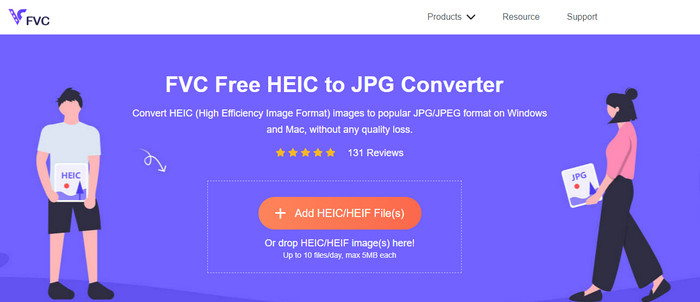
FVC Free HEIC to JPG Converter มอบตัวแปลง HEIC ฟรีที่เรียบง่ายและมีประสิทธิภาพให้คุณใช้งานบนเว็บ ด้วยเครื่องมือออนไลน์นี้ คุณสามารถลากและวางไฟล์ลงบนเว็บไซต์เพื่ออัปโหลดได้ทันที โดยไม่ต้องเริ่มกระบวนการแปลงไฟล์ด้วยตนเองเพราะระบบจะเริ่มแปลงให้อัตโนมัติ แม้ว่าเครื่องมือออนไลน์นี้จะไม่รองรับการแปลงแบบเป็นชุด แต่ก็ยังถือเป็นหนึ่งในตัวแปลงออนไลน์ระดับท็อปที่คุณควรรู้จัก ต่างจากตัวแปลงอื่น ๆ ที่มักลดทอนคุณภาพของรูปภาพที่คุณนำไปแปลง เครื่องมือนี้จะไม่ลดคุณภาพไฟล์ HEIC ของคุณ และจะยังคงคุณภาพไว้ในระดับเดิมหลังจากที่คุณแปลงเป็น JPG แล้ว.
บางทีคุณอาจสงสัยว่าถ้าคุณใช้เครื่องมือนี้ คุณต้องดาวน์โหลดไฟล์เพิ่มเติม เช่น โปรแกรมติดตั้งหรือไม่ โชคดีที่ในขณะที่ใช้สิ่งนี้ คุณไม่จำเป็นต้องดาวน์โหลดตัวติดตั้งบนไดรฟ์ของคุณและใช้งานได้ทันที ไม่จำเป็นต้องตั้งค่าใดๆ เนื่องจากเครื่องมือนี้สามารถเข้าถึงได้จากเบราว์เซอร์ที่คุณชื่นชอบ ซึ่งแตกต่างจากตัวแปลงอื่นๆ ที่มีในท้องตลาด แม้ว่าเครื่องมือจะทำงานได้ดีกับไฟล์ HEIC ของคุณอย่างราบรื่น แต่ก็มีฟังก์ชันที่จำกัด สิ่งนี้ให้ขนาดและการแปลงรายวัน สมมติว่าคุณตัดสินใจใช้ตัวแปลงออนไลน์ คลิกลิงก์ด้านบนเพื่อดูความเรียบร้อยและภาพรวม
JPGHEIC.com
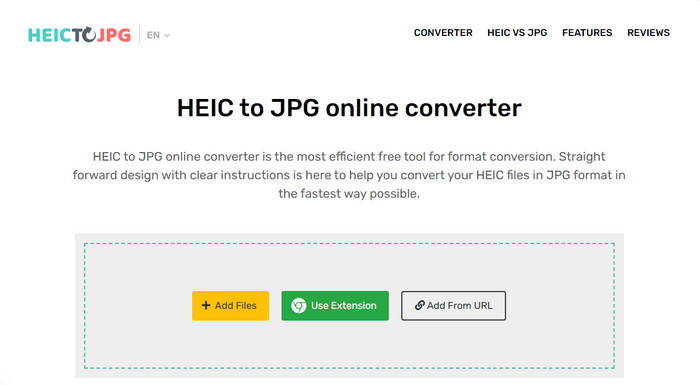
JPGHEIC.com ทำงานคล้ายกับตัวแปลงรูปภาพ HEIC ที่เราแนะนำไปข้างต้น แต่สิ่งที่ทำให้เครื่องมือนี้โดดเด่นคือไม่มีการจำกัดจำนวนครั้งในการใช้งานและไม่มีข้อจำกัดด้านขนาดไฟล์ คุณสามารถเพิ่มไฟล์สื่อได้ง่าย ๆ ด้วยการลากและวางลงในหน้าเว็บไซต์หลักด้วยเครื่องมือนี้ นอกจากนี้คุณยังสามารถใช้ URL เพื่ออัปโหลดลิงก์ของรูป HEIC ที่ต้องการแปลงเป็นรูปแบบ JPG ได้ด้วย แม้จะมีหน้าเว็บอย่างเป็นทางการ คุณก็สามารถใช้ส่วนขยาย Chrome เพื่อเข้าถึงได้สะดวกยิ่งกว่าการเข้าหน้าเว็บหลัก ฟังก์ชันและคุณสมบัติของตัวแปลงบนเว็บและส่วนขยายนั้นแทบไม่ต่างกันเลย.
แม้จะเป็นโปรแกรมแปลงไฟล์ฟรี แต่ก็มีโฆษณาน่ารำคาญที่คุณอาจคลิกและเปิดขึ้นมาโดยไม่ได้ตั้งใจ ดังนั้น อย่าลืมหลีกเลี่ยงการคลิกเพื่อป้องกันการเปิดโฆษณาที่อาจมีไวรัส หลังจากใช้เครื่องมือนี้ ไฟล์ที่คุณอัปโหลดที่นี่จะถูกลบออกหลังจากผ่านไปหนึ่งชั่วโมง คุณสามารถเข้าถึงได้ก่อนที่ไฟล์จะถูกลบอย่างสมบูรณ์ในเครื่องมือเว็บนี้
Freeconvert.com
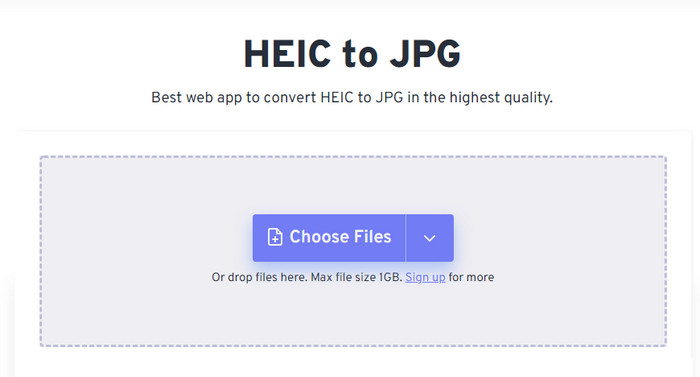
Freeconvert.com เป็นตัวแปลงไฟล์ HEIC ที่ใช้งานได้สะดวกบนเว็บเบราว์เซอร์ที่คุณชื่นชอบ โดยรองรับการลากและวางไฟล์ HEIC เพื่อเพิ่มไฟล์ได้ง่าย ๆ ต่างจากตัวแปลงออนไลน์ที่กล่าวถึงข้างต้น เครื่องมือนี้รองรับผลลัพธ์รูปภาพมากกว่าแค่ JPG คุณยังสามารถส่งออกเป็น BMP, PNG, TIFF, WebP และอื่น ๆ ได้ แม้ว่าเว็บเครื่องมือนี้จะดูดีมาก แต่ก็มีข้อจำกัดบางประการที่อาจสร้างความรำคาญ โดยเฉพาะเรื่องขนาดไฟล์ อย่างไรก็ตาม ขนาดไฟล์ที่รองรับสูงสุดถึง 1 GB ซึ่งมากกว่าตัวแปลงออนไลน์อื่น ๆ ส่วนใหญ่ที่คุณจะพบได้บนเว็บหรือในบทความนี้มาก.
นอกจากขนาดไฟล์ที่รองรับและการแปลงแล้ว คุณยังสามารถเปลี่ยนขนาด การบีบอัด และลบข้อมูลเมตาในไฟล์ HEIC ของคุณได้ เป็นข้อดีอย่างหนึ่งของการใช้เครื่องมือนี้ ที่สำคัญกว่านั้น ถ้าคุณต้องการจัดการด้วยตนเอง แม้ว่าจะมีคุณลักษณะเพิ่มเติมที่ทำให้ดีขึ้น แต่ความเร็วในการแปลงของเครื่องมือนี้ไม่เร็วอย่างที่เราคาดไว้
ส่วนที่ 2 ตัวแปลง HEIC แบบชำระเงิน 2 อันดับแรกที่สามารถดาวน์โหลดได้บน Windows และ Mac
Aiseesoft HEIC Converter – ตัวแปลง HEIC ที่ดีที่สุดบน Windows และ Mac
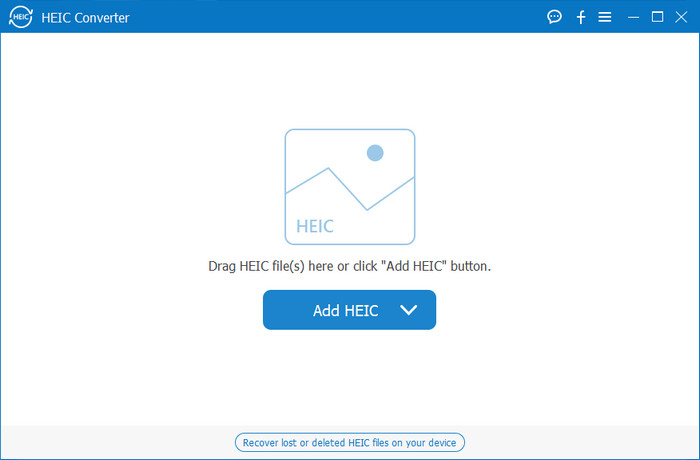
ทุกอย่างจะราบรื่นที่สุดเมื่อคุณใช้ตัวแปลง HEIC ระดับมืออาชีพบน Windows 10/11 และ Mac อย่างเช่น Aiseesoft HEIC Converter นี่คือตัวแปลงอันดับต้น ๆ ที่คุณควรเลือกใช้สำหรับทั้งสองระบบปฏิบัติการ เพียงสมัครใช้งานซอฟต์แวร์ คุณก็จะได้รับประสบการณ์การแปลงไฟล์ที่โดดเด่นและรวดเร็วเป็นพิเศษ เมื่อคุณอัปโหลดไฟล์ HEIC แล้ว คุณแทบจะไม่เห็นความแตกต่างหลังจากแปลงเป็น JPG ไม่ว่าคุณจะเป็นมืออาชีพหรือไม่ก็ตาม นี่คือตัวช่วยที่เหมาะสมสำหรับการแปลงไฟล์ HEIC และช่วยให้คุณมั่นใจได้ว่าผลลัพธ์จะออกมาสำเร็จตามที่ต้องการ.
นอกจากความเร็วในการแปลงที่เหมือนสายฟ้าแล้ว เรายังสามารถลดคุณภาพได้หากต้องการและบันทึกข้อมูล EXIF ที่จัดเก็บไว้ใน HEIC ของคุณเป็น JPG ในแง่ของประสิทธิภาพ ความเร็วในการแปลง ส่วนต่อประสานผู้ใช้ที่ตรงไปตรงมา และฟังก์ชันเสริมอื่นๆ ไม่มีอะไรเหลือที่เครื่องมือนี้จะไม่เลือกเกี่ยวกับการแปลงรูปภาพ เมื่อคุณใช้เครื่องมือนี้แล้ว คุณสามารถอัปโหลดไฟล์ HEIC ทั้งหมดได้ที่นี่จนกว่าคุณจะพอใจ หากต้องการทราบข้อมูลเพิ่มเติมเกี่ยวกับคุณลักษณะที่เครื่องมือนี้สนับสนุน โปรดอ่านเนื้อหาด้านล่าง
คุณสมบัติ:
◆ รองรับการแปลงไฟล์ HEIC หลายไฟล์เป็นรูปแบบ JPG พร้อมกัน
◆ ขนาดไฟล์ของไฟล์รูปภาพแต่ละไฟล์ไม่ใช่ปัญหาในเครื่องมือนี้
◆ การสูญเสียคุณภาพจะไม่เป็นปัญหาเพราะเครื่องมือยังคงคุณภาพเหมือนเดิม
◆ ด้วยความเร็วในการแปลงที่น่าภาคภูมิใจ แปลงไฟล์ของคุณในเวลาไม่นาน
◆ ซอฟต์แวร์พร้อมใช้งานบน Windows หรือ Mac ของคุณ
TunesBro HEIC Converter
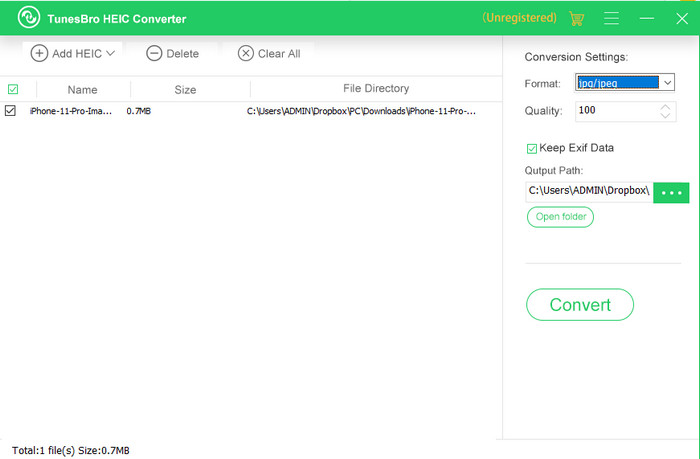
TunesBro HEIC Converter เป็นตัวแปลง HEIC ชื่อดังที่คุณสามารถดาวน์โหลดมาใช้บน Windows และ Mac ได้ เช่นเดียวกับตัวแปลงแบบเสียเงินที่เราแนะนำไปก่อนหน้า คุณสามารถแปลงรูปภาพ HEIC ด้วยโปรแกรมนี้ได้โดยไม่สูญเสียคุณภาพดั้งเดิม แม้ในขณะที่คุณไม่ได้เชื่อมต่ออินเทอร์เน็ต แม้ว่าคุณจะไม่ใช่มืออาชีพ คุณก็สามารถใช้งานโปรแกรมได้อย่างง่ายดายด้วยอินเทอร์เฟซที่เข้าใจง่าย แม้แต่ตัวแปลงยอดนิยมบางตัวก็ยังเทียบไม่ได้กับประสิทธิภาพและความครบถ้วนของฟังก์ชันการแปลงไฟล์ของโปรแกรมนี้ อย่างไรก็ตาม ราคาของโปรแกรมนี้สูงกว่าAiseesoft HEIC Converter หากนำมาเปรียบเทียบกัน แต่เมื่อเทียบกับตัวแปลงอื่น ๆ แล้วก็ยังถือว่าถูกกว่า.
ผู้ใช้หลายคนพบว่าการใช้ตัวแปลงส่วนตัวค่อนข้างแพง สาเหตุที่มีค่าใช้จ่ายสูงก็เพราะว่ารองรับคุณสมบัติที่สามารถช่วยคุณในการแปลงได้ หากคุณต้องการแปลง HEIC เป็นรูปแบบมาตรฐาน คุณอาจต้องการเลือกตัวเลือกนี้เป็นตัวเลือกสุดท้ายสำหรับผู้ใช้ที่มีงบประมาณจำกัด แต่ถ้าคุณต้องการตัวแปลงแบตช์ที่ใช้งานง่าย ให้ดาวน์โหลดเครื่องมือนี้บนเดสก์ท็อปของคุณ
ส่วนที่ 3 อันไหนดีที่สุด? แผนภูมิเปรียบเทียบสำหรับ 5 HEIC Converters
| คุณสมบัติ | FVC ฟรี HEIC เป็น JPG Converter | JPGHEIC.com | Freeconvert.com | Aiseesoft HEIC Converter | TunesBro HEIC Converter |
| ความเร็วในการแปลง | เร็ว | ช้าหน่อย | ช้าหน่อย | เร็วที่สุด | เร็ว |
| แปลงไฟล์ HEIC หลายไฟล์ |  | | |  | |
| เก็บข้อมูลเมตาหลังจากแปลง | | | | | |
| ใช้งานง่าย | | | | | |
| ขึ้นอยู่กับอินเทอร์เน็ต | | | | | |
ส่วนที่ 4 คำถามที่พบบ่อยเกี่ยวกับ HEIC Converters
เหตุใดการแปลง HEIC จึงช้า
หากคุณกำลังใช้เครื่องมือที่ต้องการอินเทอร์เน็ต คุณต้องตรวจสอบการเชื่อมต่ออินเทอร์เน็ต แต่ถ้าอินเทอร์เน็ตของคุณเสถียร ปัญหาอยู่ที่เครื่องมือที่คุณใช้ คุณสามารถติดต่อฝ่ายบริการลูกค้าที่เครื่องมือที่คุณใช้รองรับได้ สมมติว่าไม่มี เราขอแนะนำให้คุณเปลี่ยนตัวแปลง แต่ถ้าเป็นเครื่องมือออฟไลน์ แสดงว่าเครื่องมือที่คุณใช้ไม่มีการเร่งฮาร์ดแวร์หรือการแปลงที่รวดเร็ว ดังนั้น ก่อนเลือกตัวแปลงออฟไลน์ คุณต้องตรวจสอบบทความเกี่ยวกับความเร็วและความน่าเชื่อถือของตัวแปลงก่อน
เหตุใดจึงไม่รองรับ HEIC
สาเหตุหนึ่งที่ระบบไม่รองรับโดยกำเนิดคือมีการใช้ประเภทการบีบอัดอยู่ในปัจจุบัน การรองรับการบีบอัด HEIC เป็นการบีบอัดแบบสูญเสียข้อมูลที่ทันสมัยซึ่งอุปกรณ์บางชนิดไม่รองรับ ดังนั้น การเลือกตัวแปลงจึงมีความสำคัญอย่างยิ่งในสถานการณ์ประเภทนี้
HEIC ใช้งานได้บน iOS เท่านั้นหรือไม่
สำหรับตอนนี้ รูปแบบรูปภาพนี้เป็นปัจจุบันและจะเป็นรูปแบบมาตรฐานสำหรับรูปภาพที่คุณถ่ายใน iOS 11 ทุกเครื่องขึ้นไป แต่ในไม่ช้า รูปแบบนี้จะพร้อมใช้งานบน Android และ Windows ด้วย เนื่องจากเป็นรูปแบบที่ดีที่สุดรูปแบบหนึ่งที่สามารถจัดเก็บรูปภาพคุณภาพสูงที่มีขนาดน้อยกว่า JPG
สรุป
เราอาจพูดได้ว่าการเลือกตัวแปลง HEIC เป็นสิ่งจำเป็น โดยเฉพาะถ้าคุณเป็นผู้รับภาพที่มีรูปแบบเป็น HEIC ก่อนหน้านี้เราได้บอกไปแล้วว่าฟอร์แมตนี้ยอดเยี่ยมเพียงใด และตอนนี้ก็ได้รับการยืนยันแล้วว่าเป็นตัวเลือกที่ดีกว่า JPG ทั้งในด้านขนาดไฟล์และคุณภาพ เมื่อตอนนี้คุณอ่านบทความจบแล้ว ก็ถึงเวลาตัดสินใจเลือกเครื่องมือที่เหมาะกับคุณว่าจะใช้งานแบบออนไลน์หรือออฟไลน์ ทั้งสองแบบล้วนดีทั้งนั้น แต่Aiseesoft HEIC Converter นั้นโดดเด่นกว่าในหลาย ๆ ด้าน ลองเข้าไปดูตัวโปรแกรมได้โดยการซื้อและดาวน์โหลดลงเดสก์ท็อปของคุณ แล้วเพลิดเพลินกับการใช้งานฟังก์ชันแบบเต็มรูปแบบ.
-
 แปลง HEIC เป็น JPG ด้วย 6 วิธีแบบออฟไลน์และออนไลน์ที่มีประสิทธิภาพ
 คุณต้องการทราบวิธีการแปลง HEIC เป็น JPG หรือไม่? ในกรณีนี้ เราได้เพิ่มวิธีออนไลน์และออฟไลน์ 6 วิธีที่คุณสามารถใช้เพื่อทำงานให้เสร็จและจัดการงานนี้
-
 5 อันดับตัวแปลง HEIC เป็น JPG ที่ดีที่สุดในปี 2025 นี้
 ด้วยตัวแปลง HEIC เป็น JPC คุณสามารถเปลี่ยนรูปแบบภาพเป็น JPG แบบพกพาได้อย่างง่ายดาย อยากทราบว่า 5 เครื่องมือนี้คืออะไร? อ่านบทความนี้
-
 แปลง HEIC เป็น PDF โดยใช้ 4 วิธีที่ได้รับการปรับปรุงในปี 2025
 หากต้องการทราบข้อมูลเพิ่มเติมเกี่ยวกับตัวแปลง HEIC เป็น PDF ที่ดีที่สุด คุณสามารถดาวน์โหลดตัวแปลงปี 2025 นี้ได้ คุณสามารถอ่านบทความนี้ได้เนื่องจากเราได้ให้บทวิจารณ์เกี่ยวกับตัวแปลงดังกล่าวไว้แล้ว
