


 视频转换大师
 屏幕录影大师
 视频修复
视频修复
 安全下载
安全下载全面审查 iMyFone 免费 HEIC 转换器和使用替代品
Apple Inc. 提出了使用 HEIC 高级有损压缩的想法,因为它可以节省存储空间,这与 JPEG 等典型图像格式不同。凭借其现代风格的还原,Apple 对其进行了调整以适应 iOS 11 和 macOS High Sierra 或更新版本。尽管它在所有苹果设备上都很受欢迎,但它对其他操作系统(如 Windows 和 Android)的支持与 JPEG 不兼容。由于兼容性问题日益严重,许多用户都在寻找可以将格式转换为 JPEG 或 JPG 的 HEIC 转换器。
你可能已经在市面上见到过的转换器之一就是 iMyFone 免费 HEIC 转换器。今天,我们将更深入地了解这款软件,以及其他可以在几秒钟内将 HEIC 转换为 JPG 的替代方案。

第 1 部分。 什么是 iMyFone 免费 HEIC 转换器
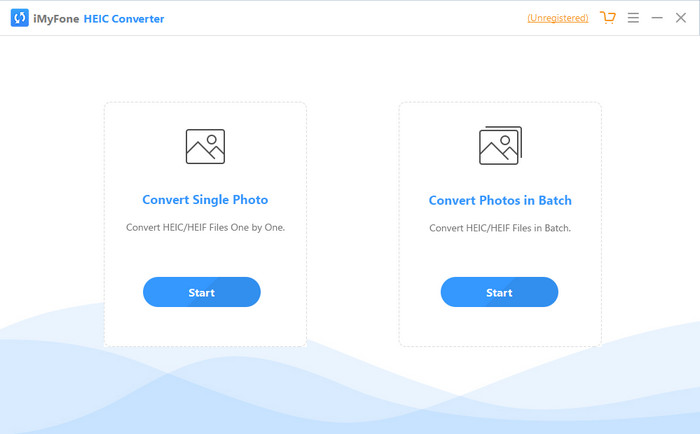
iMyFone HEIC Converter 是一款可以将 HEIC 格式转换为你所需图像格式(如 JPEG)的转换器。与其他转换器不同的是,它能够在不影响图像质量的情况下,将 HEIC 图像转换为 JPEG。你可以根据自己的需求来自定义调整图像质量。有了这类软件,你就无需再为 HEIC 文件的兼容性问题而担心,因为它能在不到一分钟的时间内帮你解决。除了转换功能之外,你还可以在桌面系统上下载该软件,因为它同时支持 Windows 和 Mac 版本。
即使它支持不同的操作系统,我们仍然可以看到该软件在两个系统上完美地完成了相同的任务。但是,是什么让转换器比您可以在网络上下载或访问的其他转换器更好?如果您想查看该软件,您必须阅读第二部分以了解其功能、优缺点以及如何使用它。
第 2 部分。 iMyFone 免费 HEIC 转换器评论 |主要功能、优点、缺点以及如何使用它
在 Windows 和 Mac 上使用 iMyFone HEIC 转换器的主要特点:
◆ 可选择转换单个 HEIC 文件或批量 HEIC 文件。
◆ 在此处转换HEIC 文件不会降低图像质量,但您也可以提高其质量。
◆ 支持在一分钟内将 HEIC 转换为 JPEG/JPG。
◆ 将转换后的 HEIC 文件即时保存在本地驱动器上,避免隐私内容被破坏。
优点
- 它确实可以轻松转换 HEIC 格式。
- 它的 GUI 很简单,因此您可以立即学习如何使用它。
- 它还支持一次无限制地转换多个 HEIC 文件。
缺点
- 有时 HEIC 文件在这里无法识别,它只能将 HEIC 转换为 JPG。
- 如果您没有购买高级版,则无法转换您的 HEIC 文件,尤其是在试用期之后。
- 拖放功能无法使用。
如何在 Windows 和 Mac 上使用 iMyFone HEIC 转换器:
步骤 1. 在官网下载 iMyFone HEIC Converter,并选择 Windows 或 Mac 版本。
步骤 2. 打开软件,屏幕上会显示两个选项。点击其中一个的 开始 以进入下一步。
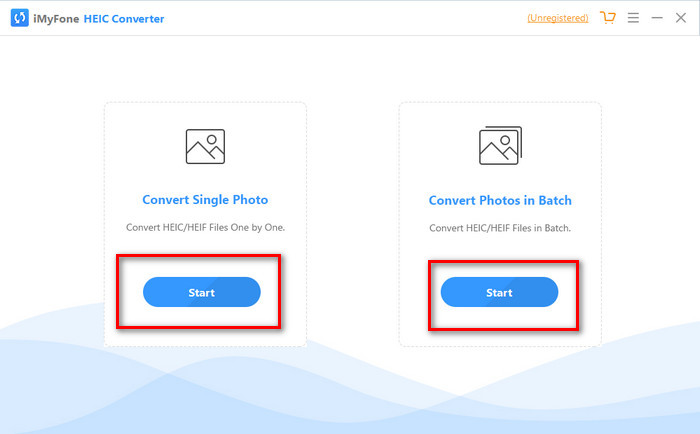
您可以使用转换单张照片或批量转换照片;无论您的选择是什么,都没有什么不同。
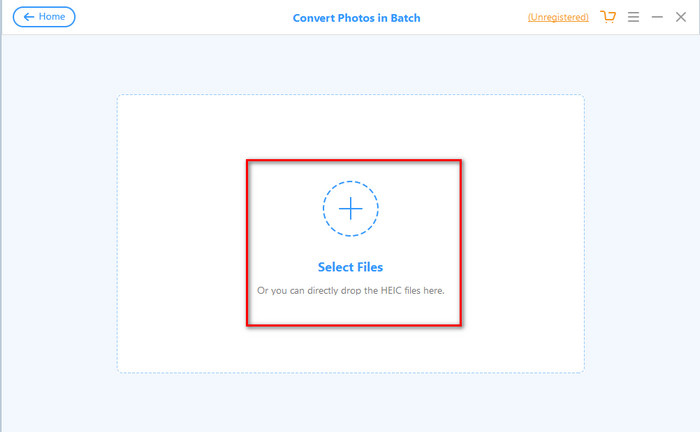
步骤 3. 点击 + 按钮添加文件,上传你在磁盘上的 HEIC 文件。
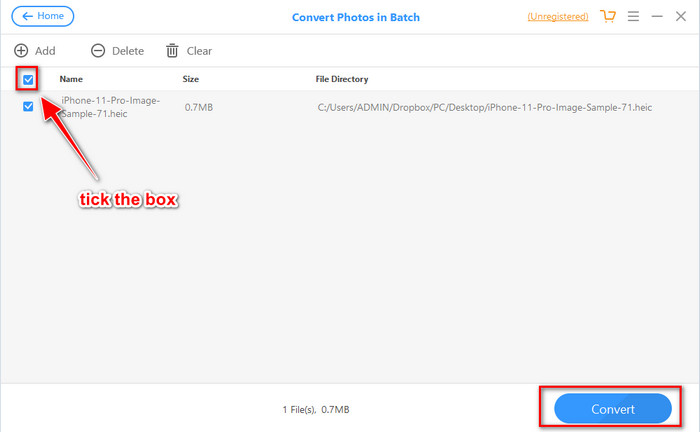
步骤 4. 勾选选项框,点击 转换,如果需要可调整输出质量,然后再次点击 转换 以更改格式。
第 3 部分。 iMyFone 免费 HEIC 转换器在线和离线的三大替代品
FVC免费HEIC到JPG转换
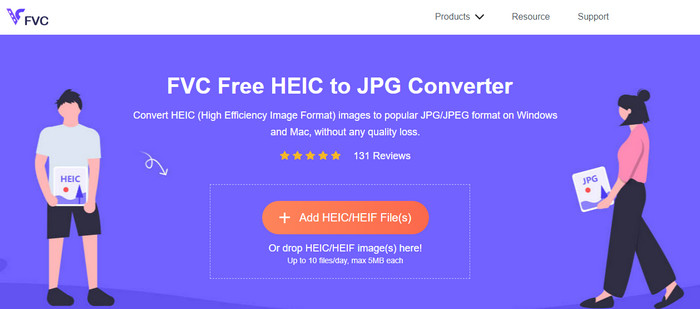
如果你不想下载 iMyFone HEIC Converter,又想把 HEIC 转换成 JPG,那么我们建议你使用FVC 免费 HEIC 转 JPG 转换器。这个在线工具可以通过将 HEIC 文件转换为 JPEG,帮助你完成使其变为兼容格式的任务。与前面评测的转换器一样,该工具也只能将 HEIC 图像转换为 JPEG,输出格式没有其他选项。总体来说,这款网页版工具是一个非常优秀的转换器,你可以在不同浏览器上访问和使用。
尽管网络工具是免费的并且可以在线获得,但您需要牢记一些限制。首先,图像的文件大小;确保照片大小不超过 5MB,因为您在此处上传照片可能会遇到问题。接下来是每天可用的转换;您每天只能使用此转换器转换 HEIC 十次。即使使用该工具时存在限制;用它来体验免费转换还是很棒的。
Aiseesoft HEIC 转换器
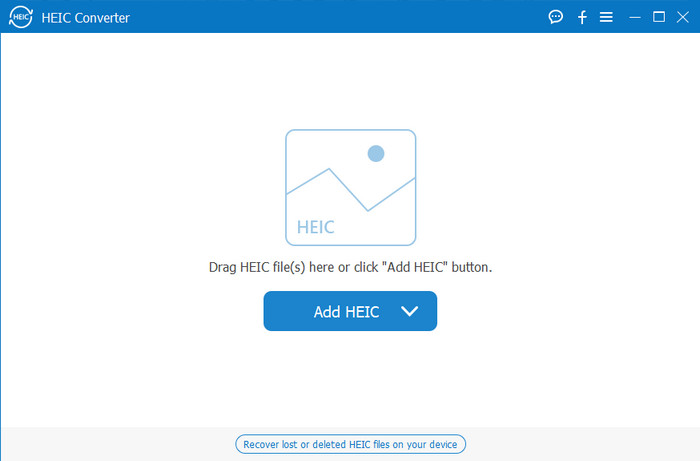
Aiseesoft HEIC Converter 是你可以在桌面端下载安装的、最适合作为 iMyFone HEIC Converter 替代品的工具。它是一款强大的 HEIC 转换器,如果你想转换手头的 HEIC 文件,这款软件绝对值得拥有。如果说我们上文评测的软件转换速度已经很快,那么这款转换器可以在眨眼之间就完成 HEIC 文件的转换。也就是说,你几乎不需要等待转换过程,因为该转换器支持超高速转换,即使是批量 HEIC 文件也不在话下。除了转换速度快之外,你还可以通过拖拽的方式将 HEIC 文件添加到软件中,让上传过程更加便捷。
更重要的是?如果我们审核的软件不支持其他输出格式,您可以使用此工具选择 JPEG 或 PNG。此外,您可以通过拖动滑块根据您的规格调整 HEIC 图像的质量。保存绑定到 HEIC 文件的 EXIF 文件并将其传输到您选择的格式。很神奇吧?该工具比您在市场上找到的其他转换器要好得多。
相关内容:
第 4 部分。关于 iMyFone 免费 HEIC 转换器的常见问题解答
在 iMyFone HEIC 转换器上导出 JPG 文件会留下水印吗?
它不会,所以你可以在这里上传HEIC文件,然后转换它,一旦完成,你就可以下载没有水印的文件。
为什么我不能在 iMyFone HEIC 转换器上转换我的 HEIC 文件?
如果试用期已结束,您将无法再次使用此工具进行转换。所以如果你想使用它,你需要在这里购买或注册代码,然后在这个转换器的帮助下转换你想要的 HEIC 文件。
下载 iMyFone HEIC 转换器是否安全?
是的,转换器可以安全且免费地下载到任何桌面设备上。要安全下载软件,您必须访问转换器的官方网站。在那里,您可以单击下载按钮以在桌面上安装 HEIC 转换器。
结论
在阅读完 iMyFone 免费 HEIC 转换器的评测之后,你现在已经对这款转换器有了充分的了解。接下来,你需要自己判断它是否是最适合你的 HEIC 转换工具。尽管这款转换器存在一些不足和缺点,但在 Windows 和 Mac 上使用它依然非常不错。如果你决定使用它,可以前往其官网下载并安装,以帮助你将 HEIC 文件转换为 JPEG。但如果你想把 HEIC 文件转换为 PNG,这款工具则无法满足需求。相反,如果你希望轻松将 HEIC 转换为 JPG 或 PNG,就需要下载 Aiseesoft HEIC Converter。点击上方的下载按钮即可立即获取。
-
 在 Windows 和 Mac 上将 HEIC 导入 Lightroom 的有效方法
 您想知道如何在 Windows 和 Mac 上的 Lightroom 中导入 HEIC 文件吗?因此,请仔细阅读本文以了解操作方法。
-
 Joyoshare HEIC 转换器 |您必须知道的应用审查和功能
 您必须知道的最佳评论 Joyoshare HEIC 转换器,因为我们包含了您在拥有它之前必须知道的详细信息和功能。
-
 如何在 Android 上查看和转换 HEIC 文件 [免费] 轻松]
 您想在 Android 上查看或转换 HEIC 文件而不破坏原始图像质量吗?在这种情况下,本文将有所帮助。
