


 Video Converter Ultimate
 Screen Recorder
 Oprava videa
Široká variace různých převodníků pro MOV do AVI online a offline
MOV je formát vyvinutý společností Apple Inc., určený k přehrávání v jejich výchozím přehrávači médií, kterým je QuickTime Player. V tomto případě, pokud přenesete svůj soubor MOV do jiného desktopového programu, jako jsou Windows či podobné, je velká šance, že bude nekompatibilní, protože je určen výhradně pro uživatele Macu. Pokud tedy patříte mezi uživatele, kteří mají potíže s přehráváním souborů MOV na svém počítači, musíte držet krok a číst dál tento článek, abyste zjistili, co si vybrat. Seznámíme vás s osobním převodníkem, který vás naučí, jak převést MOV na AVI bez ztráty kvality a s maximálním zabezpečením.

Část 1. Převod MOV do AVI Online bez omezení
FVC Online Video Converter zdarma
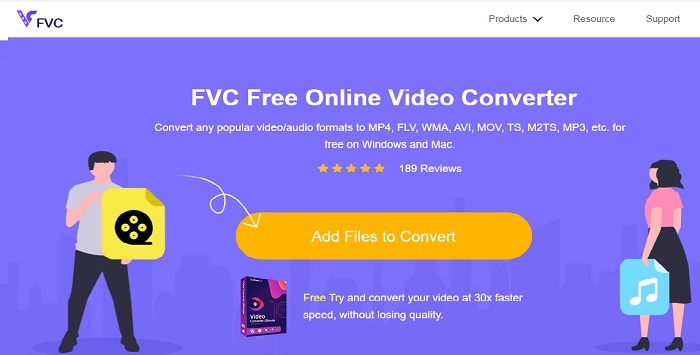
Jedním z nejlepších online převodníků je FVC Free Video Converter. Pokud chcete zažít novou úroveň online převodu videa nebo audia, pak je tento nástroj pro vás. Patří mezi nejlepší bezplatné převodníky MOV do AVI. Nevýhodou však je, že nenabízí prémiové funkce jako placená verze a možnosti výstupních formátů jsou omezené. Ačkoli můžete převádět bez omezení, neumí hromadné (vícenásobné) převody najednou. Přestože je zdarma, je jako převodník lepší než VLC. Chcete vědět, jak tento online nástroj používat? Postupujte podle následujících kroků a zjistíte, jak převádět bez námahy.
Krok 1. Klikněte na tento odkaz, abyste přešli na hlavní web. Nemusíte se bát, přístup je bezpečný a zabezpečený.
Krok 2. Stiskněte Add Files to Convert (Přidat soubory k převodu), abyste spustili program.
Stáhněte si desktopovou verzi a převádějte soubory hromadně.
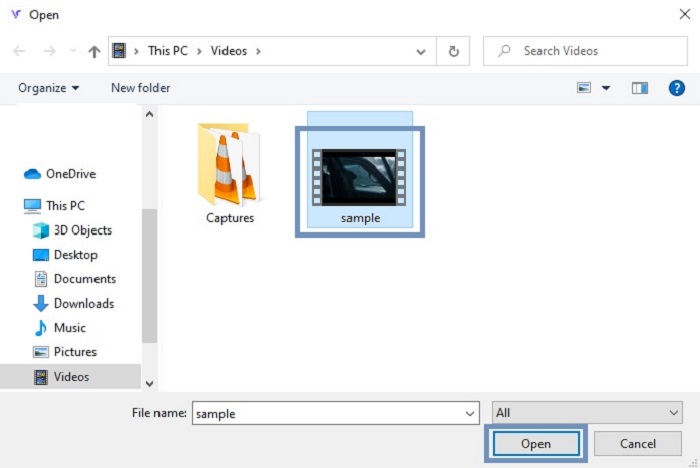
Krok 3. Vyberte soubor MOV, který chcete převést, a pro pokračování stiskněte OK.
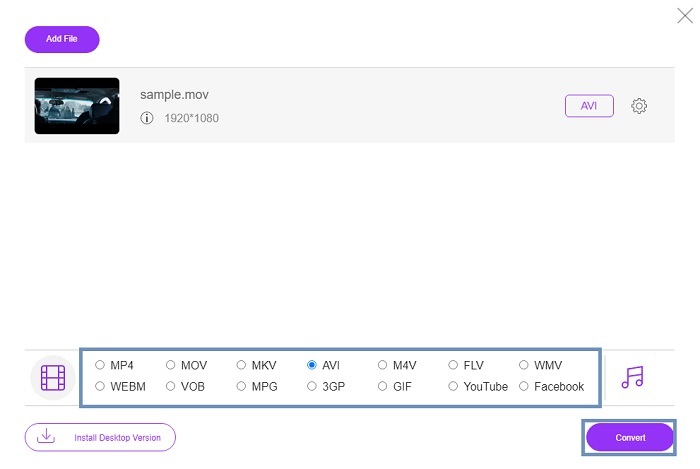
Krok 4. Po výběru formátu AVI nebo jiného požadovaného formátu klikněte na Convert, abyste spustili proces převodu.
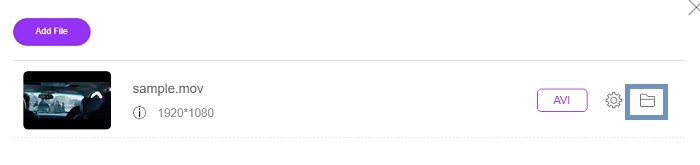
Krok 5. Počkejte pár minut, než se převod dokončí. Poté klikněte na tuto složku, abyste si zkontrolovali výsledný soubor.
Část 2. Převod MOV na AVI Desktop App offline
Pokud online konverze není vaší silnou stránkou, musíte zvážit použití těchto skvělých desktopových nástrojů. Vyberte si ten nejlepší převodník pro tuto práci.
1. FVC Video Converter Ultimate
Pokud chcete zažít špičkový převod, úpravu a vylepšování videa i audia, pak musí být vaším nástrojem pro tuto práci FVC Video Converter Ultimate. Převeďte svůj formát MOV na AVI bez námahy. Díky uživatelsky přívětivému rozhraní a nenáročnosti na systém se stal první volbou mnoha uživatelů na internetu. V současnosti počet uživatelů, kteří si tento nástroj stáhli, výrazně roste jak počtem, tak zkušenostmi. Na rozdíl od jiných nástrojů zde i na webu je vlastnictví tohoto programu jako mít vlastní švýcarský armádní nůž. Přestože nabízí kompletní balík funkcí, software funguje na principu platby předem. To znamená, že pokud jej chcete používat, musíte si jej zakoupit. Nemusíte se ale obávat, je levný a platební metody jsou bezpečné – podporuje PayPal, bankovní převod, Visa a další. Pokud váháte, zda je to ta nejlepší volba, přečtěte si kroky níže a posuďte sami, zda je to pro vás ideální převodník.
Krok 1. Stáhněte software na disk svého počítače a vyberte verzi, která nejlépe odpovídá vašemu systému. Poté případně upravte předvolby a klikněte na Dokončit, abyste program nainstalovali na disk.
Zdarma ke staženíPro Windows 7 nebo novějšíBezpečné stažení
Zdarma ke staženíPro MacOS 10.7 nebo novějšíBezpečné stažení
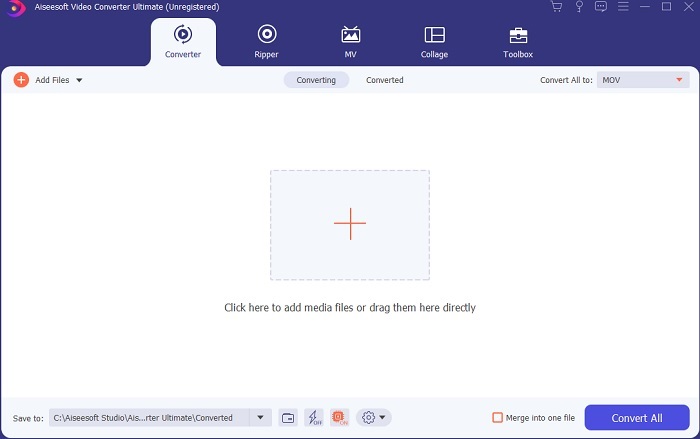
Krok 2. Po dokončení instalace se program automaticky otevře. Toto je ukázka jeho rozhraní.
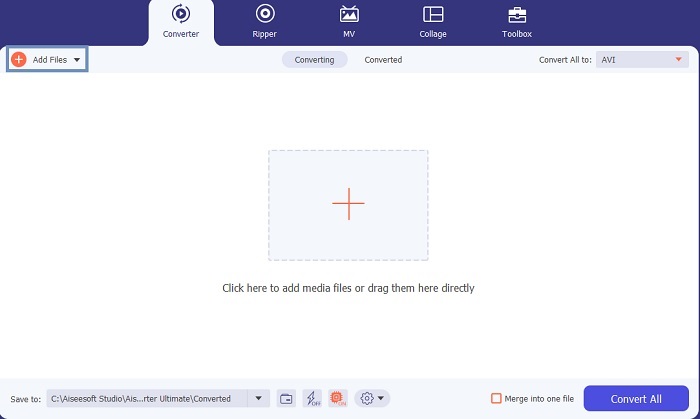
Krok 3. Klikněte na tlačítko Add Files (Přidat soubory) a vyberte soubor MOV, který chcete převést. Pokud chcete převést více souborů MOV, můžete je přetáhnout metodou drag-and-drop přímo do rozhraní nástroje.
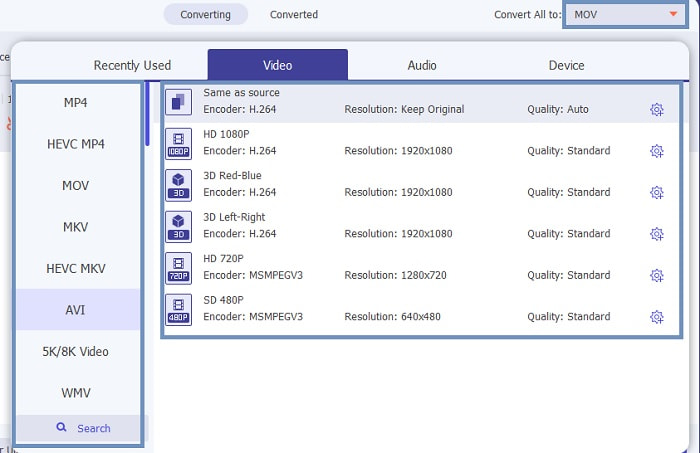
Krok 4. V podnabídce Convert All to (Převést vše na) vyberte požadovaný formát ze seznamu. Můžete si vybrat z různých variant. A pro spuštění akce klikněte na Convert All (Převést vše).
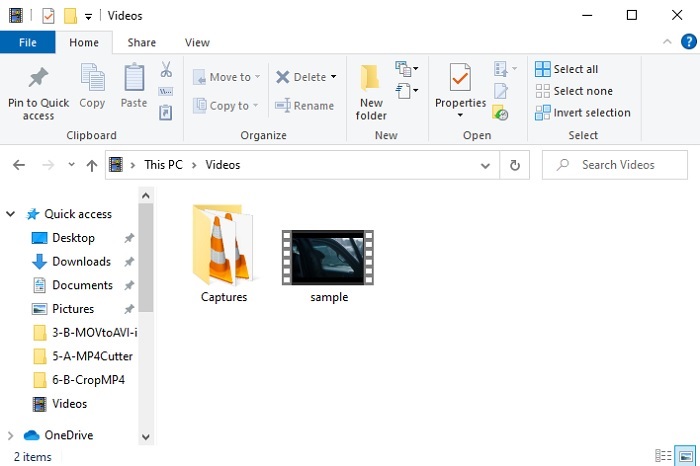
Krok 5. Zabere to jen pár vteřin a po dokončení se na obrazovce otevře Průzkumník souborů. Klikněte na převedený soubor a ihned ho můžete sledovat na svém počítači. Pokud chcete video dále upravit, vylepšit nebo s ním udělat něco speciálního, přejděte do sekce Toolbar (Panel nástrojů) a prozkoumejte dostupné funkce pro vylepšení videa či audia.
2. Přehrávač médií VLC
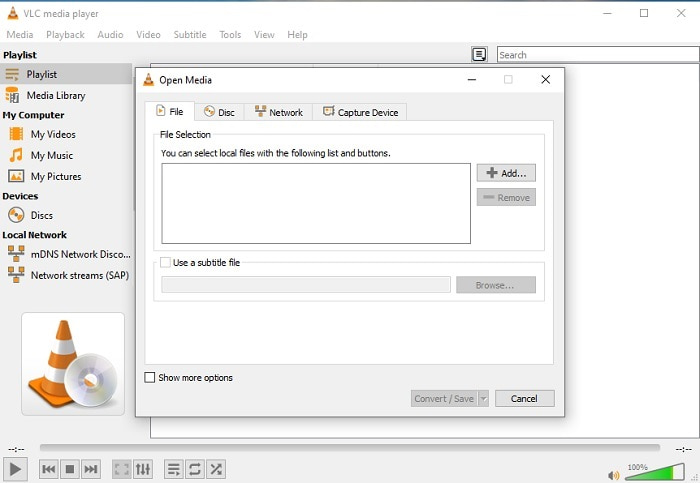
Věděli jste, že můžete převést MOV na AVI pomocí VLC? Ano, tento přehrávač médií můžete použít i jako převodník. Přestože umí převádět formáty, není nejlepší volbou pro tuto práci. Není totiž uživatelsky přívětivý, na rozhraní je málo návodných informací a podporuje jen omezený počet formátů. Přestože může být skvělým přehrávačem médií, jako převodník nepatří k nejlepším. Pokud ho ale chcete vyzkoušet, můžete se o tom přesvědčit sami a použít ho k převodu svých souborů.
3. Pazera
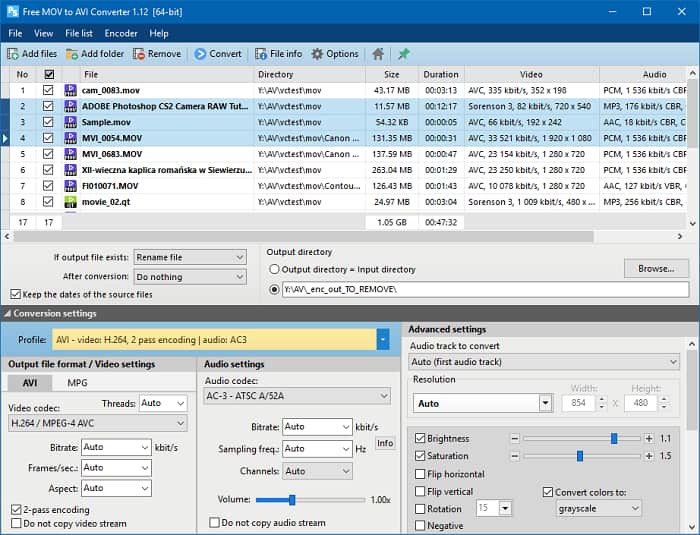
Můžete si zdarma stáhnout převodník Pazera MOV to AVI. Tento nástroj se snadno používá a navzdory své jednoduchosti nabízí solidní kvalitu převodu. Odrazující ale je, že nejde o univerzální (multi-) převodník. Na rozdíl od výše uvedených nástrojů poskytuje jen zkušenost s jediným typem převodu. Pro upřesnění: pokud si stáhnete převodník MP4 do AVI, pak získáte pouze tento konkrétní typ konverze. Pokud tedy hledáte univerzální převodník pro více formátů, měl by být až vaší poslední volbou. Navíc, pokud se pokusíte vstoupit na webovou stránku tohoto nástroje ke stažení, objeví se spousta vyskakovacích reklam, které jsou velmi otravné. Pokud se rozhodnete tento nástroj otevřít, měli byste být opatrní.
Další čtení
MOV vs. AVI
Formát MOV lze použít pro uložení filmu, televizního pořadu, krátkého videoklipu nebo domácího filmu. Ve skutečnosti je uložen ve formátu QuickTime File Format (QTFF), který byl představen společností Apple v roce 1991. Soubory MOV se často používají, když lidé chtějí uložit video ve vysoké kvalitě.
Formát AVI, založený na formátu RIFF (Resource Interchange File Format), byl představen společností Microsoft v roce 1992. Dokáže uložit vysoce kvalitní video/audio, protože používá méně komprese. To však také způsobuje velkou velikost souboru AVI, což může být problém, když je k dispozici omezený prostor.
Část 3. Časté dotazy o MOV do AVI
Dokáže QuickTime převést MOV do AVI?
Přestože je QuickTime známý tím, že je výchozím přehrávačem médií Mac. Konverze přes QuickTime je možná. Můžete zkontrolovat tento odkaz, pokud chcete vědět, jak převést MOV do AVI pomocí QuickTime.
Jaké jsou rozdíly mezi MOV a AVI?
První velký rozdíl mezi nimi je jejich majitel. Jak bylo řečeno na prvním místě, MOV byl vyroben společností Apple Inc. jako jejich jedinečný formát pro přehrávače QuickTime. MOV se stal populárním, protože je jedním z nejlepších formátů, které můžete použít, protože ukládá také různé audio, video a textové soubory. AVI bylo vyvinuto společností Microsoft, aby konkurovalo MOV. I když je tento formát nekomprimovaný. Pokud tedy nahrajete nebo stáhnete soubor do tohoto formátu, počítejte s velkou velikostí souboru. Pokud tedy chcete zmenšit velikost souboru, budete jej muset zkomprimovat. Ale dobrá věc na tom je, že produkuje velmi kvalitní video a audio výstup.
Kde mohu přehrát svůj převedený MOV do AVI?
Pokud chcete sledovat svůj nově převedený soubor AVI nebo MOV, můžete použít FVC Free Video Player. Díky němu můžete video sledovat, i když nepřevedete soubor MOV na AVI na Macu nebo PC hned; můžete si ho pustit později.
Závěr
Na závěr našeho malé „dobrodružství“ je pro nás jasnější, že převádění je jedna z nejjednodušších činností, do které se může kdokoli pustit. Poučení z tohoto článku je velkou změnou pro každého z nás, protože nabízí detaily, postupy i alternativy. Pokud tedy stále váháte, jaký převodník si zvolit jako hlavní, tady je jasné doporučení. FVC Video Converter Ultimate je všestranný převodník, po kterém jste kdy toužili. Myšlenka převádět, upravovat, vylepšovat a tvořit je zhmotněna v tomto nástroji. Tak na co ještě čekáte? Nemusíte mít obavy, protože FVC Video Converter Ultimate je nepřekonatelný převodník.
-
 4 nejlepší způsoby, jak snadno převést MOV na MP3 ve Windows a Mac
 Pokud chcete extrahovat zvukové soubory MP3 ze souborů MOV, můžete se dozvědět více o 4 nejúčinnějších převaděčích MOV na MP3 a získat požadované soubory z článku.
-
 8 nejlepších přehrávačů MOV pro přehrávání souborů QuickTime MOV v původní kvalitě
 Prostě se dozvíte více o 8 nejlepších přehrávačích MOV dostupných pro Windows i Mac. Můžete vybrat požadovaný a vhodný soubor pro přehrávání souborů MOV v původní kvalitě.
-
 MKV na MOV - Jak převést MKV na MOV
 Jak převést MKV na MOV na Macu? Může iMovie číst MKV? Co znamená formát MOV? Tento příspěvek popisuje 2 jednoduché způsoby, jak vám pomoci převést MKV na MOV s bezplatnými online a profesionálními převaděči videa.

