


 Video Converter Ultimate
 ضبط صفحه
 تعمیر ویدیو
نحوه تبدیل MP4 به OGG رایگان و آنلاین
MP4 یک ظرف چندرسانه ای دیجیتال است که ویدیو ، صدا و زیرنویس را در آن ذخیره می کند. OGG یک قالب ظرف آزاد و آزاد برای پخش کارآمد و فشرده سازی فایل است. بعضی اوقات برای پخش در برخی از پخش کننده های صوتی ، باید MP4 را به فرمت OGG تبدیل کنید. این پست 3 مبدل رایگان MP4 به OGG را برای تبدیل MP4 به OGG بدون دردسر به اشتراک می گذارد.

قسمت 1. روش حرفه ای تبدیل MP4 به OGG به صورت رایگان
اگر میخواهید بهترین مبدل MP4 به OGG را پیدا کنید، میتوانید FVC Free FLV to MP4 Converter را امتحان کنید. این نرمافزار تبدیل ویدئوی رایگان و آسان برای استفاده، مخصوص ویندوز و مک است. میتوانید انواع ویدئوها مانند MP4، FLV، MOV، MKV، MTS، M2TS و غیره را بهراحتی به OGG تبدیل کنید. علاوه بر این، قابلیتهای ویرایشی برای افزودن تمها، تنظیم نویسنده، زمان و ارائهدهنده در بخش آغازین/پایانی ویدئو را نیز ارائه میدهد.

- فیلم ها را در MP4 ، MKV ، AVI ، MOV ، MP3 ، AAC ، AIFF و ... به OGG تبدیل کنید.
- فیلم های OGG و فایل صوتی بدون ضرر را از فایل MP4 با 1 کلیک صادر کنید.
- به کاربران اجازه می دهد ارائه دهنده ، عنوان ، نویسنده ، زمان و ویرایش موضوع را ویرایش کنند.
- برای پخش در برخی از دستگاه های پخش صوتی قابل حمل ، MP4 را به OGG تبدیل کنید.
دانلود رایگانبرای Windows 7 یا جدیدتردانلود امن
دانلود رایگانبرای macOS 10.7 یا جدیدتردانلود امن
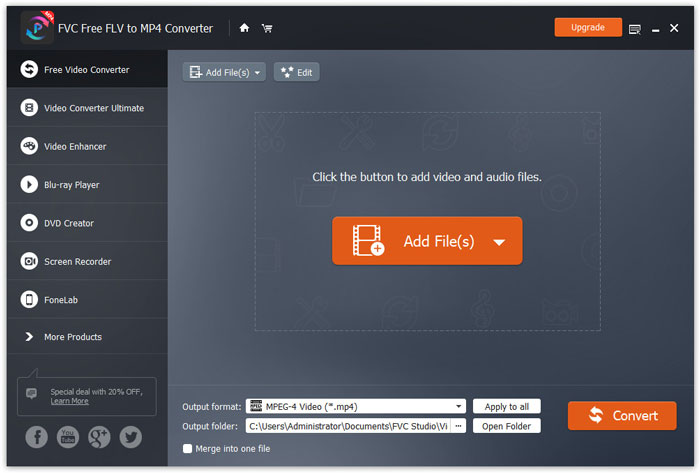
مرحله 1. پس از دانلود، FVC Free FLV to MP4 Converter را روی ویندوز یا مک خود نصب و اجرا کنید. روی دکمه Add Files کلیک کنید تا فایلهای MP4 را از کامپیوتر خود بارگذاری کنید. اگر میخواهید چندین فایل MP4 را همزمان تبدیل کنید، کافی است همه آنها را آپلود کنید.
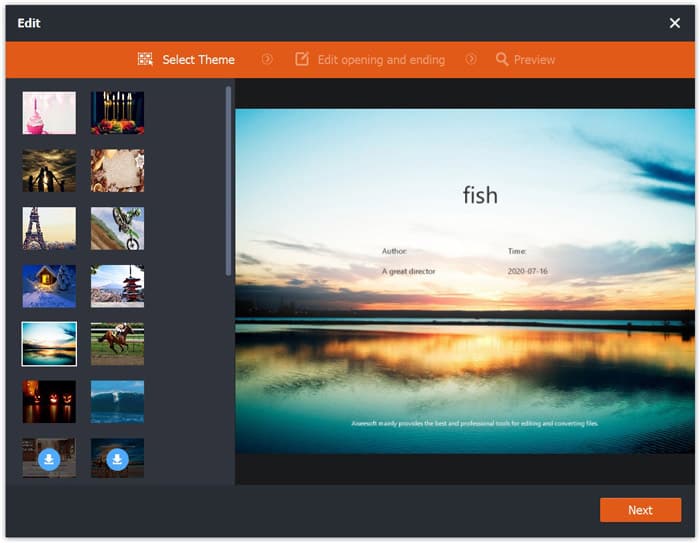
مرحله 2. روی فایل MP4 خود کلیک کرده و دکمه Edit را بزنید. میتوانید یک تم به فایل MP4 اضافه کرده و محتوای آغاز و پایان را ویرایش کنید. سپس روی Next کلیک کنید تا پیشنمایش گرفته و تغییرات را ذخیره کنید.
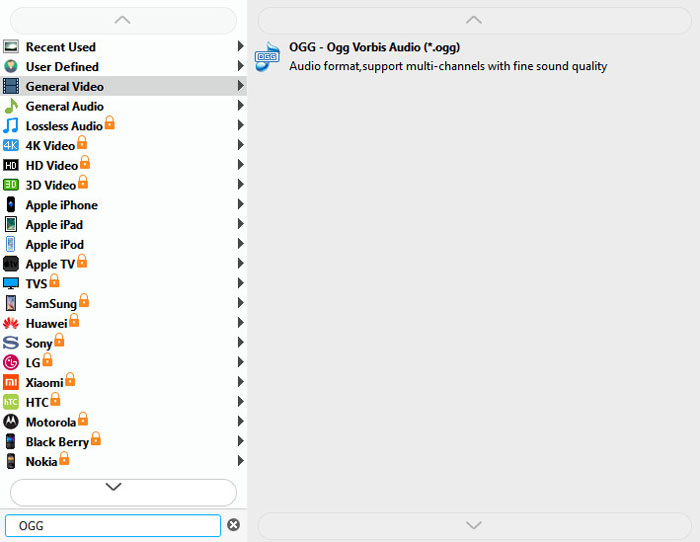
مرحله 3. روی منوی کشویی Output format در پایین کلیک کرده و فرمت OGG را از فهرست جستوجو کنید. میتوانید گزینه OGG - Ogg Vorbis Audio (*.ogg) را بهعنوان فرمت خروجی انتخاب کنید.
مرحله 4. پوشه خروجی را در کامپیوتر خود مرور کرده و روی دکمه Convert کلیک کنید تا تبدیل MP4 به OGG آغاز شود.
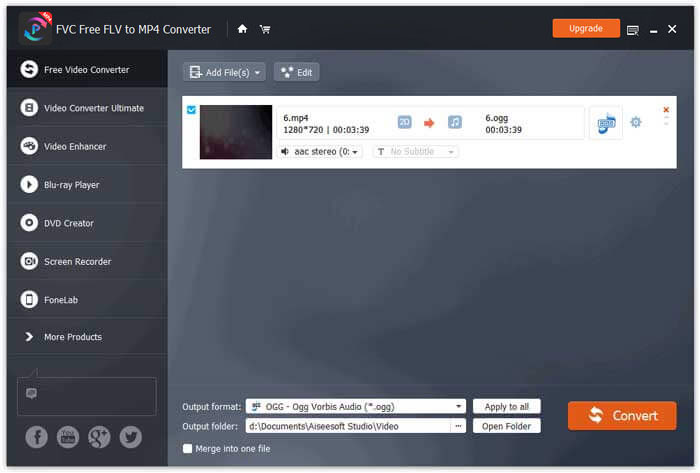
با استفاده از FVC Free FLV to MP4 Converter همچنین میتوانید چندین فایل MP4 را در یک فایل ادغام کنید.
قسمت 2. نحوه تغییر MP4 به OGG آنلاین
در مقایسه با مبدل دسک تاپ ، استفاده از مبدل آنلاین یک روش صرفه جویی در وقت برای تبدیل MP4 به OGG است. مبدل های آنلاین MP4 به OGG زیادی وجود دارد که می توانید انتخاب کنید. در این قسمت ، ما 2 مبدل MP4 به OGG را به اشتراک می گذاریم تا فایل های MP4 شما را به صورت آنلاین به OGG تبدیل کنیم.
1. زامزار
Zamzar یک پلت فرم چند منظوره آنلاین برای مبدل ویدیو ، مبدل صوتی ، مبدل تصویر و مبدل کتاب الکترونیکی است. با Zamzar می توانید MP4 را به راحتی به انواع مختلف قالب مانند OGG تبدیل کنید. در اینجا مراحل ساده ای برای تبدیل MP4 به OGG با Zamzar آنلاین وجود دارد.
مرحله 1. به آدرس www.zamzar.com/convert/mp4-to-ogg/ بروید و روی دکمه Add Files کلیک کنید تا فایلهای MP4 خود را آپلود کنید.
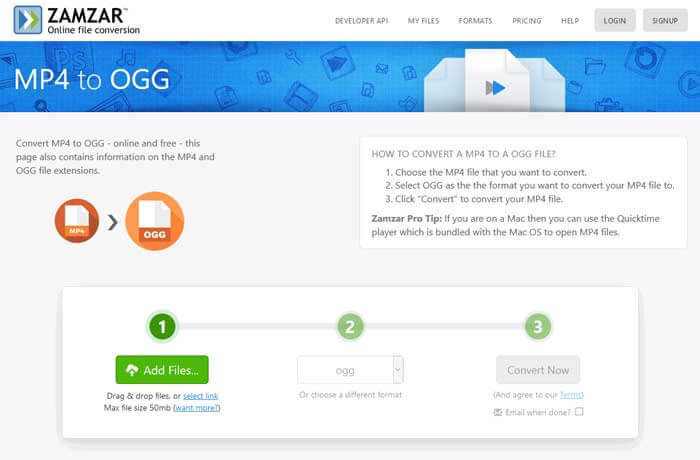
مرحله 2. فرمت خروجی پیشفرض از قبل روی ogg تنظیم شده است. روی دکمه Convert Now کلیک کنید تا تبدیل MP4 به OGG شروع شود.
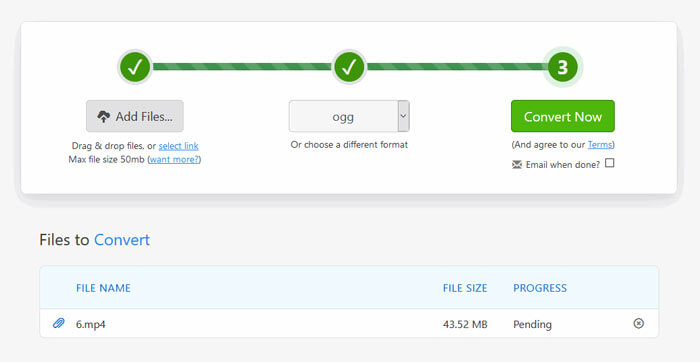
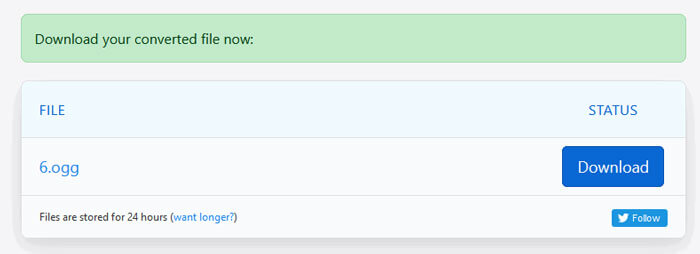
مرحله 3. سپس به صفحه دیگری منتقل میشوید. میتوانید روی دکمه Download کلیک کنید تا فایل OGG تبدیلشده را در کامپیوتر خود ذخیره کنید.
هنگامی که یک فایل MP4 با حجم زیاد را تبدیل میکنید، ممکن است هنگام استفاده از Zamzar فرایند تبدیل گیر کند. لازم است صفحه را رفرش کرده و دوباره تبدیل را انجام دهید. اگر یک تبدیل روان و بدون مشکل میخواهید، FVC Free FLV to MP4 Converter میتواند بسیار کمککننده باشد. (برای دیدن پلیرهای MP4 بیشتر اینجا را ببینید)
2. Convertio
Convertio ابزاری آسان برای تبدیل سند ، تصویر ، صفحه گسترده ، کتاب الکترونیکی ، فایل های صوتی و تصویری است. با استفاده از Convertio ، می توان فایل های MP4 را با دقت عالی به MP3 تبدیل کرد. برای صادرات OGG از MP4 با Convertio مراحل زیر را دنبال کنید.
مرحله 1. به مبدل Convertio MP4 to OGG (convertio.co/mp4-ogg/) بروید. روی دکمه Choose Files کلیک کنید تا فایلهای MP4 خود را آپلود کنید. همچنین میتوانید فایلهای MP4 را از Dropbox، Google Drive اضافه کنید یا آدرس URL را کپی کنید.
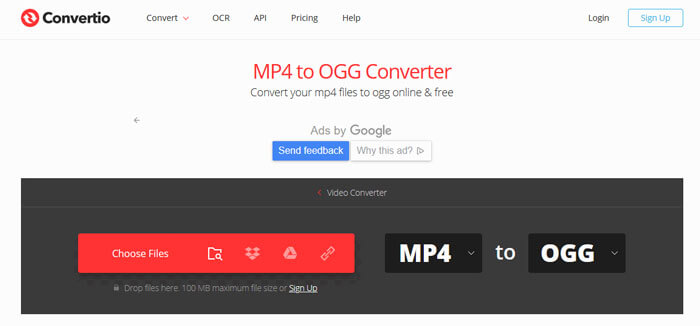
مرحله 2. از منوی کشویی، OGG را انتخاب کنید و سپس روی آیکون چرخدنده کلیک کنید تا کدک، کیفیت، کانالهای صوتی، فرکانس و ولوم را تنظیم کنید. میتوانید فایل MP4 را به بخش موردنظر خود برش دهید.
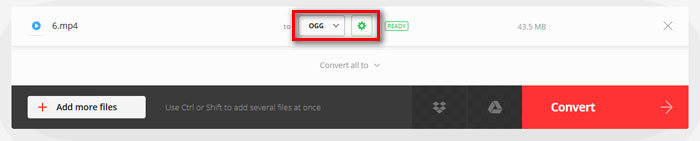
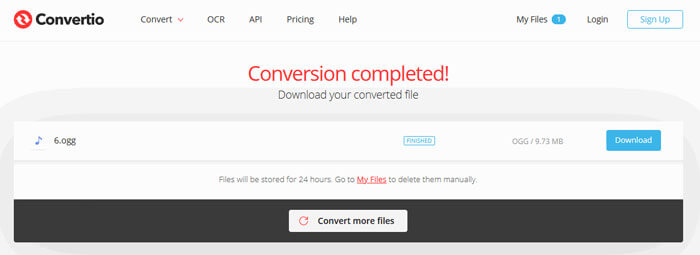
مرحله 3. پس از انجام همه تنظیمات، روی دکمه Convert کلیک کنید تا MP4 به OGG تبدیل شود. پس از پایان تبدیل، روی دکمه Download کلیک کنید تا فایل OGG تبدیلشده را روی کامپیوتر خود ذخیره کنید.
قسمت 3. سوالات متداول در تبدیل MP4 به OGG
1. فرمت ویدئویی OGG چیست؟
OGG یک قالب رایگان و آزاد است که می تواند شامل موسیقی ، فیلم ، متن مانند زیرنویس و فراداده باشد.
2. کدام بازیکن می تواند فایل OGG را پخش کند؟
بسیاری از بازیکنان قابل حمل می توانند فایل OGG مانند VLC ، Windows Media Player ، Adobe Audition ، Audials ، MPlayer و موارد دیگر را بازی کنند.
3. چگونه MP4 را به MP3 تبدیل کنم؟
با کمک FVC Free Online Video Converter میتوانید بهآسانی بهصورت آنلاین MP4 را به MP3 تبدیل کنید. به این وبسایت آنلاین بروید و روی دکمه Add Files to Convert کلیک کنید تا لانچر نصب شود. سپس فایلهای MP4 را از کامپیوتر انتخاب کرده و MP3 را بهعنوان فرمت خروجی علامت بزنید. روی دکمه Convert کلیک کنید تا MP4 به MP3 تبدیل شود.
نتیجه
ما به طور عمده 3 تبدیل MP4 به OGG را برای تبدیل MP4 به پرونده های OGG بصورت آنلاین و آفلاین معرفی کردیم. با استفاده از مبدل دسک تاپ FVC Free FLV to MP4 ، می توانید به راحتی فایل منبع باز OGG را از MP4 صادر کنید. اگر راه حل های بهتری دارید ، لطفا در ارسال نظر دریغ نکنید.
-
 WebM به MP4 | تبدیل رایگان WebM به MP4
 چگونه می توان فایل های WebM را بدون مرورگر وب مشاهده کرد؟ شما باید WebM را به MP4 تبدیل کنید. در اینجا 10 مبدل برتر رایگان WebM به MP4 برای تغییر WebM به MP4 بصورت آنلاین و در رایانه های Mac و Windows وجود دارد.
-
 MP4 به FLV | 3 مبدل رایگان برتر
 این پست راهنمای دقیق تبدیل MP4 به FLV است. شما می توانید 3 مبدل برتر برتر را به راحتی MP4 به FLV ، در رایانه ویندوز یا Mac تغییر دهید.
-
 6 روش برتر برای ترکیب فایلهای MP4 در ویندوز / مک / آنلاین
 آیا می خواهید پرونده های MP4 خام خود را برای پروژه خود ادغام کنید؟ این پست 6 روش برتر را برای کمک به شما در ترکیب فیلمهای MP4 در ویندوز ، مک و آنلاین با سهولت جمع آوری می کند.
