


 Video Converter Ultimate
 Enregistreur d'écran
 Réparation vidéo
Quel est le meilleur convertisseur à utiliser pour convertir MP3 en WAV
MP3 is the well-known audio format around the world. Actually, it is the default format for saving and recording audio files. Although this format is used by many, still there are many other formats that produce a high-quality audio than MP3 like WAV. So, if you want to know how to convert MP3 to WAV to have the pleasure of listening to music or recording you did. Then you must keep up the pace because this might be a long run to go without further ado let's start the race.

Partie 1. Comment convertir MP3 en WAV sur Windows et Mac avec des étapes détaillées
1. FVC Video Converter Ultimate
Do you want to know how to convert MP3 to WAV on Mac and PC that produces high-quality audio? Then FVC Video Converter Ultimate must be it. Also, it is fast in conversion like the SSC Tuatara and safe also. Convert as many as you want at the same time because there is no limit of media files to be converted here. Not only that you can also use this tool to create MV, Collages, and other features as well. So, if you want to know how to use it then follow these steps and let's start the conversion process.
Step 1. Choose between PC or Mac and click the download button next. Install the tool and follow the set-up then click finish to save the changes.
Téléchargement gratuit pour Windows 7 ou version ultérieure Téléchargement sécurisé
Téléchargement gratuit pour macOS 10.7 ou version ultérieure - Téléchargement sécurisé
Step 2. After the installation, click the Add Files to insert the MP3 audio you want to be converted. If audio is more than two it is better to drag-and-drop it to the interface.
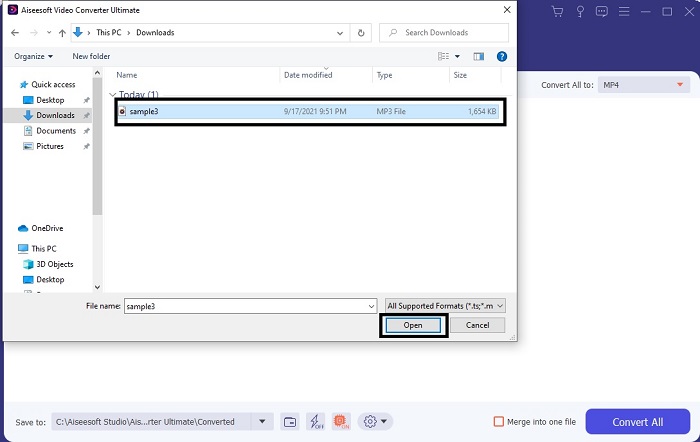
Step 3. Change the MP3 to WAV or any audio format you want in the submenu.
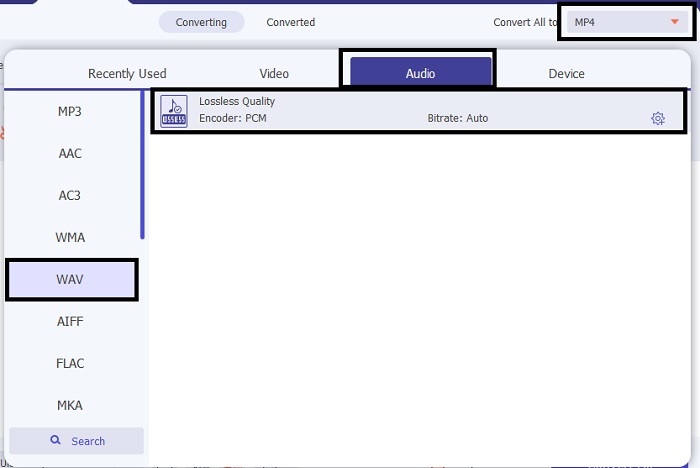
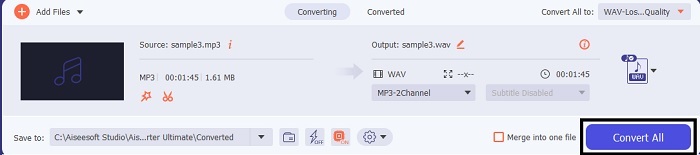
Step 4. If everything is already settled, click the Convert All to start the conversion.
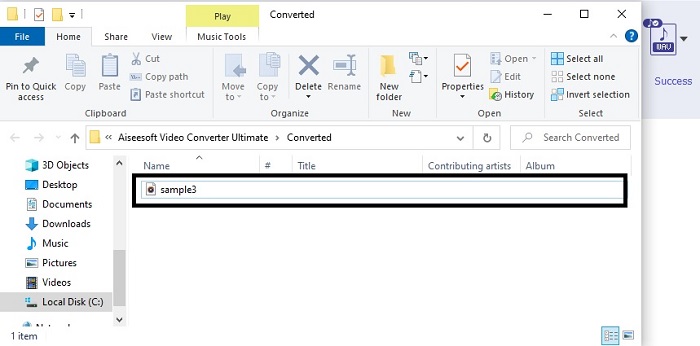
Step 5. After the conversion is done, a file manager will automatically be opened into your screen. Click the audio converted and enjoy listening to the newer version of it. Additionally, if the audio is a bit low for you. Go to the Toolbar and locate Audio Booster to have clearer and better audio.
2. iTunes
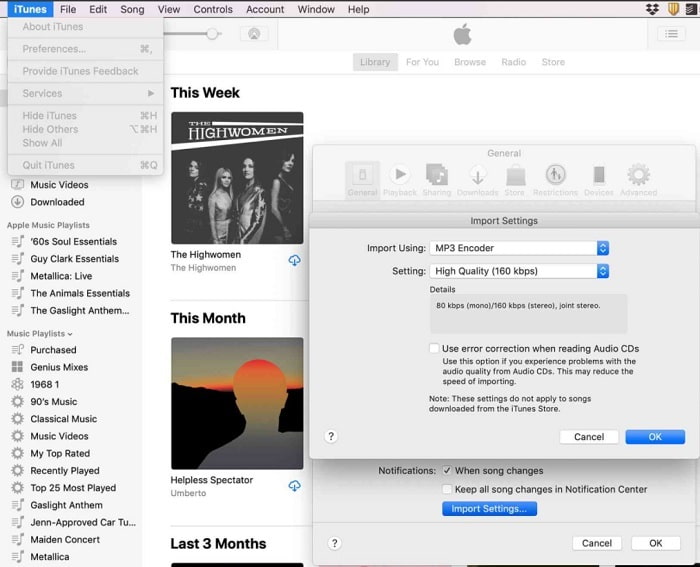
iTunes is widely used to play music on Mac and iOS products. But did you know that you can convert MP3 to WAV on iTunes? The answer is yes. Play and convert is all in this tool but it can't be accessed over Android and Windows because it is the default media player of Apple to their product. So, if you don’t have an Apple product you can still make the conversion with the help of FVC Video Converter Ultimate. But if you have one then it is a must to use iTunes and follow this step provided.
Step 1. Open the software into your device.
Step 2. Select the MP3 audio you want to be converted.
Step 3. After that click the Convert and wait till the process is complete.
Partie 2. Top 5 des meilleurs convertisseurs MP3 en WAV gratuits en ligne sur le Web
1. Convertisseur audio gratuit FVC
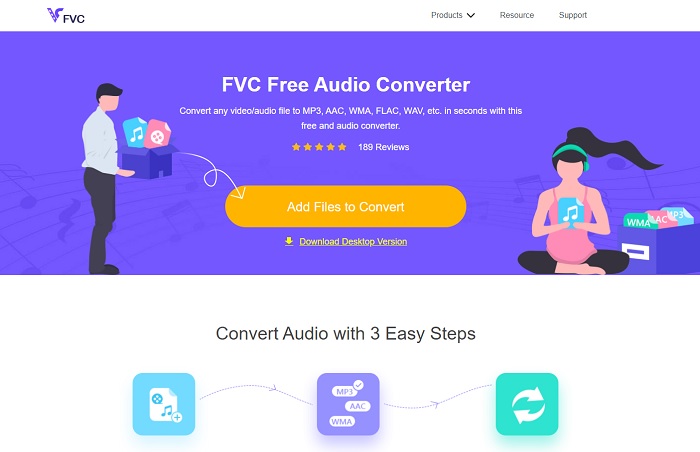
FVC Free Audio Converter is the best MP3 to WAV converter online. Because it has the same minor features the FVC Video Converter Ultimate can be brought to you. So, expect nothing less while using this tool although the major parts of the premium are not presented here. Because it is free of charge, if you want to try it you can click the hyperlink provided only for you. So, before anything else let's start on how to use this web-based converter.
Step 1. To access the tool, you must click this link.
Step 2. Click the Add Files to Convert to start the tool.
Téléchargez la version de bureau pour convertir des fichiers par lots.
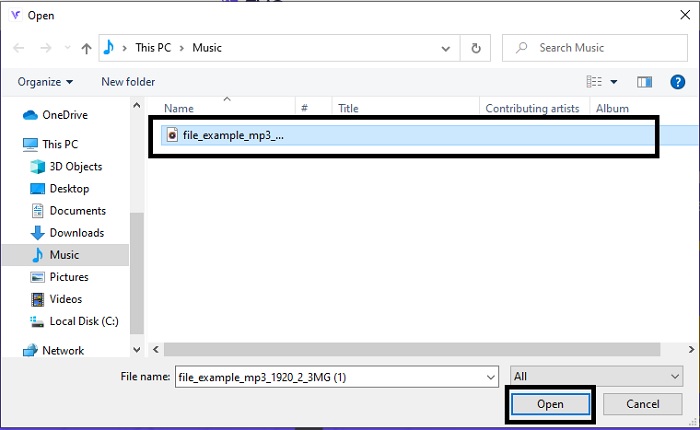
Step 3. After launching the tool, select the MP3 file you want to be converted and click open.
Step 4. Select the format below then click Convert to start the process.
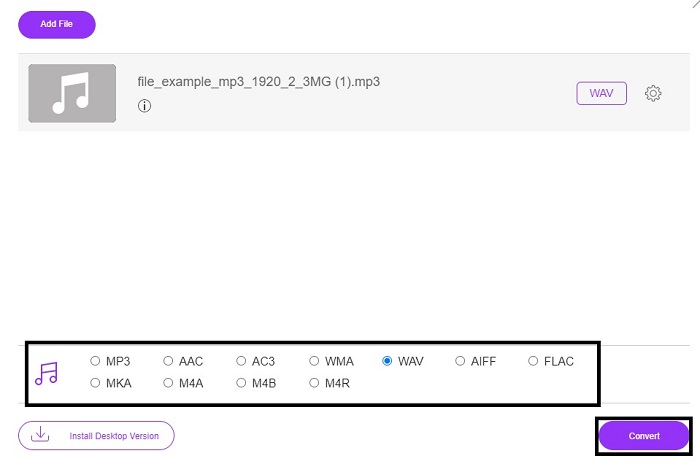
Step 5. It will only take a few minutes and after the conversion is done. Click the folder to locate the file you just converted.
2. Conversion en nuage
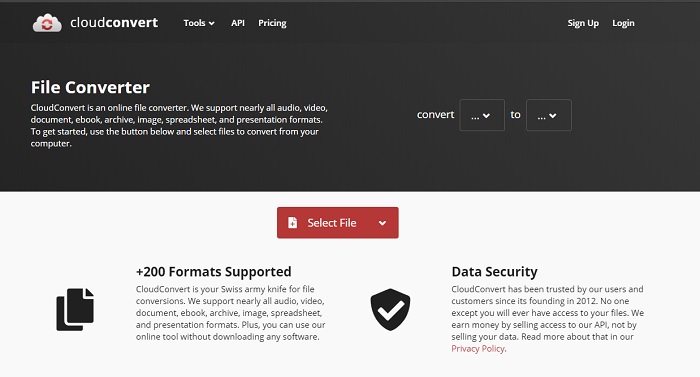
Another tool you can access over the web is Cloud Convert into a new format. It is the best in the market when we talk about conversion but you can't adjust or change the bitrate, fps, and codecs as well. But if you may like to convert text files into a new format then this tool is a must to try.
3. Convertio
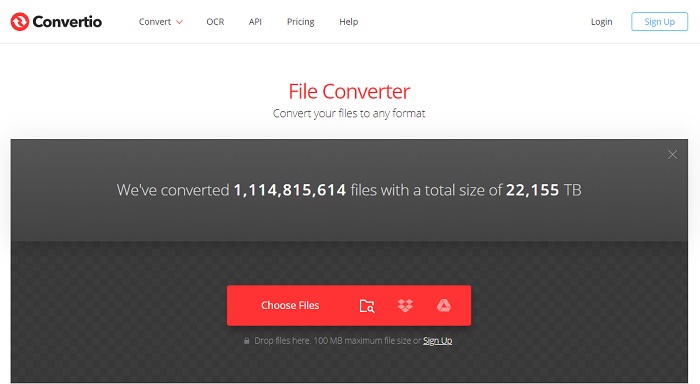
Just like Cloud Convert, Convertio was created to be free of charge as well. Speaking of converting it also provides powerful compression and conversion. This tool is used by many users to convert because of its on-point instructions and the simplicity of it. Although you can access the tool on the web, the main website has a lot of ads in the web interface which is a bit annoying. Especially if you don't want to be disturbed while converting.
4. Conversion en ligne
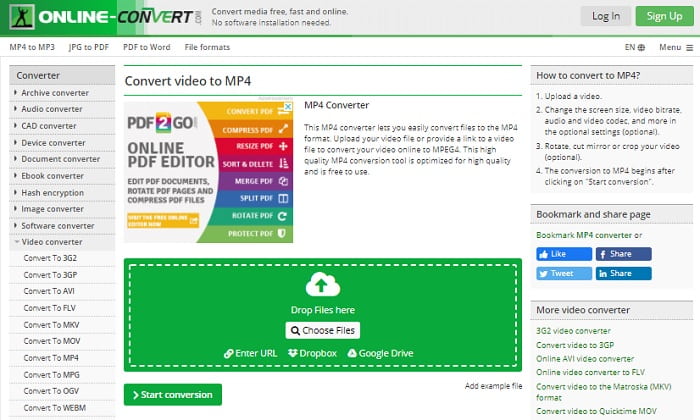
This tool has a lot to offer in converting also it is very informative too. Online-Convert provides advanced features on which you can modify the bitrate, resolution and channels. If you're new to converting this tool must be a bit overwhelming to do. Also, if you insert the file on the web interface you must wait for it to be processed. Not only that, there is a limit to convert and that is only 100mb so if you want to convert the number of files. Then you must buy the premium tool to remove the ads as well.
5. 123 applications - Convertisseur audio
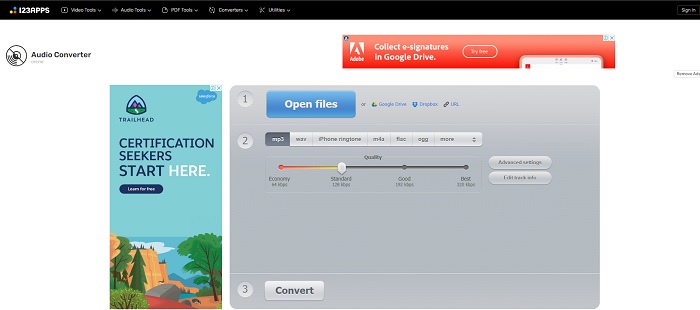
In this webtool you can do the conversion effectively and efficiently. Although, it supports only three formats for audio. 123 Apps - Audio Converter is one easiest tool. You can just open this tool, insert the file, choose the format and convert as easily as that. But the downside of this tool, there are some reports that after the conversion the quality audio became low.
Partie 3. Tableau comparatif des convertisseurs de la liste
Apprenez les différences de chaque outil et comparons-les en conséquence.
| traits | Convertisseur vidéo FVC Ultimate | iTunes | FVC Convertisseur Audio Gratuit | Convertir en nuage | Convertio | Conversion en ligne | 123 applications - Convertisseur audio |
| Convertisseur audio |  | | | | | | |
| Modification des fonctionnalités | |  | | | | | |
| Modification du débit binaire, Fps, résolution ou similaire | | | | | | | |
| Programme pris en charge | Outil basé sur le bureau | Outil de bureau par défaut | Outil basé sur le Web | Outil basé sur le Web | Outil basé sur le Web | Outil basé sur le Web | Outil basé sur le Web |
| Système d'exploitation pris en charge | Disponible dans tous les systèmes d'exploitation | Produit pris en charge par Apple uniquement | Disponible dans tous les systèmes d'exploitation | Disponible dans tous les systèmes d'exploitation | Disponible dans tous les systèmes d'exploitation | Disponible dans tous les systèmes d'exploitation | Disponible dans tous les systèmes d'exploitation |
| Échelle des prix | Pour 1 mois : $25.00 Pour un an : $31.20 Pour la licence à vie : $55.20 | Pour supprimer des publicités : $10 par mois $15 par mois pour une famille de 6 personnes $5 par mois pour les étudiants | Gratuit | Gratuit | Gratuit | Pour les 8 Go supplémentaires : Abonnement mensuel $70 USD facturé mensuellement Abonnement annuel $672 USD | Gratuit |
MP3 contre WAV
Le format MP3 a été lancé en 1993 par Moving Picture Experts Group (MPEG). C'était la norme pour stocker de la musique car il pouvait compresser l'audio à une taille beaucoup plus petite que les autres formats non compressés. Il est encore largement utilisé de nos jours, notamment pour diffuser de l'audio en ligne.
WAV, également connu sous le nom de format WAVE, est basé sur le format RIFF (Resource Interchange File Format). Il est développé par Microsoft et IBM ensemble au début des années 1990. Il s'agit d'une option permettant d'enregistrer de l'audio brut et non compressé dans Microsoft Windows. Ainsi, les fichiers WAV sont plus souvent lus sur les ordinateurs Windows.
Partie 4. FAQ sur MP3 en WAV
Quelle est la signification de WAV ?
WAV signifie fichiers audio de forme d'onde ; c'est un format sans perte non compressé.
Quel est le plus gros fichier ? MP3 ou WAV ?
Although both formats store audio files, WAV is much larger than MP3. In some cases it can go up to 15x larger than MP3 because it is uncompressed. You can click here to learn how to convert WAV to MP3.
Où puis-je enregistrer WAV ?
To record you must use the unrivaled tool over the web. Especially because this format is uncompressed so you must be careful not to lose data while recording. And that being said, FVC Screen Recorder is the unrivaled WAV recorder. It can record and edit as well to make your output much better in visuals and sounds. To know more you must download the software into your drive.
Conclusion
As the race comes to an end, it is now clearer to us that there is one winner. Just by acquiring this tool you will feel like a king of the world in recording. FVC Video Converter Ultimate does the most job that the other recorder can't do. If you have a problem recording a video, audio, or gameplay then you must claim the upper hand if you choose the right bet. Place your all to the FVC Video Converter Ultimate and get the easy win on the way.
Téléchargement gratuit pour Windows 7 ou version ultérieure Téléchargement sécurisé
Téléchargement gratuit pour macOS 10.7 ou version ultérieure - Téléchargement sécurisé
-
 Comment convertir gratuitement MP4 en WAV sur un ordinateur de bureau ou en ligne [2021]
 Vous vous efforcez de convertir MP4 en WAV ? Vous ne savez pas quel convertisseur peut vous aider parfaitement sans payer un centime ? Lisez cet article et toutes vos questions trouveront une réponse.
-
 WAV Player - Top 5 des applications de lecteur WAV pour Android, iPhone, PC et Mac
 Comment lire des fichiers WAV sur un téléphone Android? Quel joueur peut jouer au WAV? Cet article partage 5 meilleurs lecteurs WAV gratuits pour Android, iPhone, Mac et PC.
-
 FLV en WAV - Convertissez FLV en WAV en ligne gratuitement et sur Mac / PC
 Comment convertir un fichier FLV? VLC peut-il convertir YouTube FLV en WAV? Cet article explique 3 façons gratuites de convertir FLV en WAV sans perte de qualité.

