


 ビデオコンバーター究極
 スクリーンレコーダー
 ビデオ修復
ビデオ修復ここでGIFコンバーターを入手してください:これらの役立つ詳細と手順でGIFをMP4に変えてください
GIFは、ミームのように誇張された感情を共有する際によく使われる、もっとも一般的な形式です。静止画像だけでなくアニメーションも含められますが、すべてのプラットフォームがGIF形式に対応しているわけではありません。おもしろいGIFを見つけて共有したくても、非対応のため送れない場合もあります。この問題の解決は簡単ではないかもしれませんが、プラットフォームで共有したいならGIFをMP4に変換する必要があります。では、なぜMP4なのでしょうか?MP4は音声や動画ファイルを保存できる多目的コンテナ形式であり、あらゆるプラットフォームで広く使われているからです。つまりGIFを変換するには、性能が高く安全なコンバーターを選ぶことが重要です。以下から自分に合いそうなツールを選び、それらを比較・検討して、最適な一本を見つけてください。

パート1。オンラインGIFからMP4へのコンバーターの助けを借りて問題を修正する
このパートでは、オンラインでGIFをMP4動画に変換するために使える可能性のあるオンラインツールについて説明し、この問題を解決していきます。詳しく知りたい場合は、このまま読み進めてください。
1. Ezgif
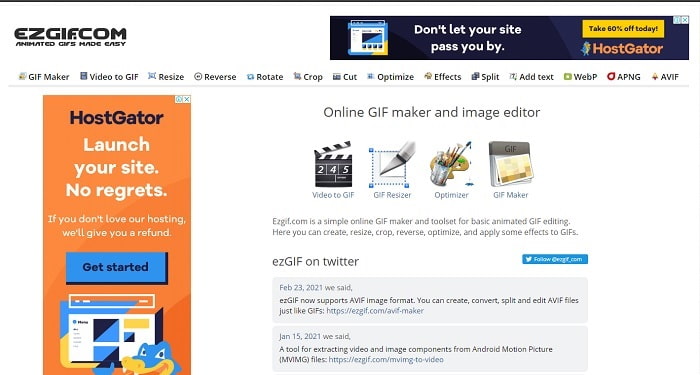
最初に紹介するのはEzgifです。これはもっともよく利用されているコンバーターの1つです。基本的な編集機能(カット、クロップ、逆再生など)も備えています。さらに、Ezgifを使った動画変換は、とても簡単に行えます。一見完璧なツールのように思えますが、実のところいくつか不便な点もあります。たとえば、ここで動画ファイルを変換すると、ダウンロードしたときに画質が多少落ちてしまう可能性があります。ただし、FVC Video Converter Ultimateのような適切なツールを使えば、この問題を回避できます。
2. CloudConvert
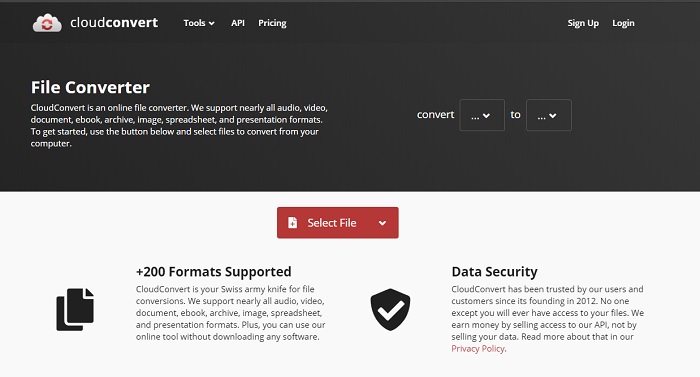
オンライン変換ならCloudConvertでも可能です。最初に紹介したツールと同様に、さまざまな動画、音声、ドキュメント、PDFなどを携帯しやすい形式に変換できます。また、このツールを使ってGIFをMP4に変換する方法も簡単です。ただし、ほかのオンラインコンバーターと比べると、変換速度はやや遅めです。特に大きなファイルを変換する場合は、待ち時間が長くなることを覚悟し、根気よく待つ必要があります。また、編集機能は用意されていません。
3. Convertio
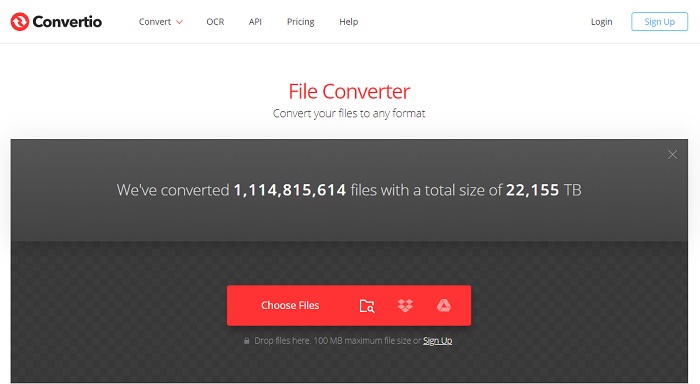
誤ったツールを使っていると、変換作業は決して簡単ではありません。そこで、探す手間を省くために、Convertioを利用して希望どおりの変換を行いましょう。すでにこのツールを使ってGIFをMP4に無劣化で変換したことがあるかもしれませんが、多くのユーザーが結果に満足しています。ただし、このツールでファイルを変換する際に、エラーが発生することもあるのは事実です。とくに変換中にインターネット接続が途切れると、データが失われる可能性があります。それでも、インターネット接続さえあれば無料で利用できるという利点があります。
パート2。アニメーションGIFをMP4形式に変換するための最良のオフラインコンバーター
1.FVCビデオコンバーターアルティメット
究極の変換体験を提供してくれるユニークなオフラインGIFからMP4コンバーターが、FVC Ultimate Video Converterです。FVCは、理想どおりの変換と、これまでにない高度な変換体験を実現すると約束しています。このツールは、多くのユーザーから高い評価を得ています。それだけでなく、このツールを使えば、標準搭載の編集機能を駆使して、周囲を驚かせることもできます。変換ツール探しは、このツールで終わりにしましょう。あなたがやりたい変換がいかに美しく仕上がるかを、このツールが示してくれます。以下の手順に従い、この最高のコンバーターの実力を体感しながら変換する方法を学んでください。
ステップ1. まず最初に、ダウンロードボタンをクリックし、PC版かMac版かを選択します。インストールを行い、セットアップ内容を調整したら、「完了」をクリックしてツールを起動します。
無料ダウンロードWindows 7 以降に対応安全なダウンロード
無料ダウンロードMacOS 10.7 以降に対応安全なダウンロード
ステップ2. インストールが完了したら、プラスアイコンまたはAdd Filesをクリックし、変換したいGIFファイルを選択します。
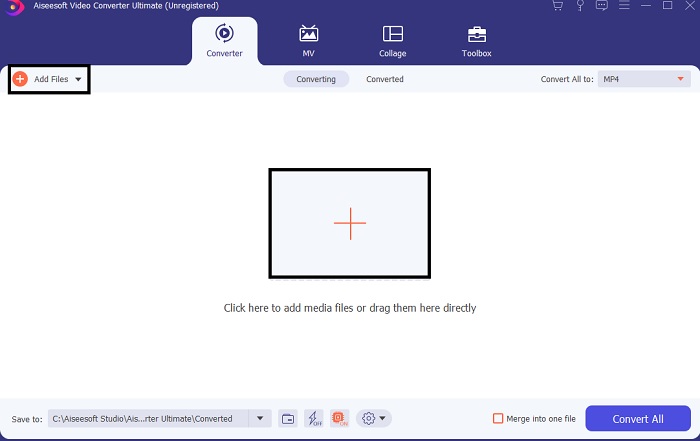
ステップ3. ファイルをインターフェースに読み込んだら、ドロップダウンメニューをクリックします。そこで出力したい形式を選択します。
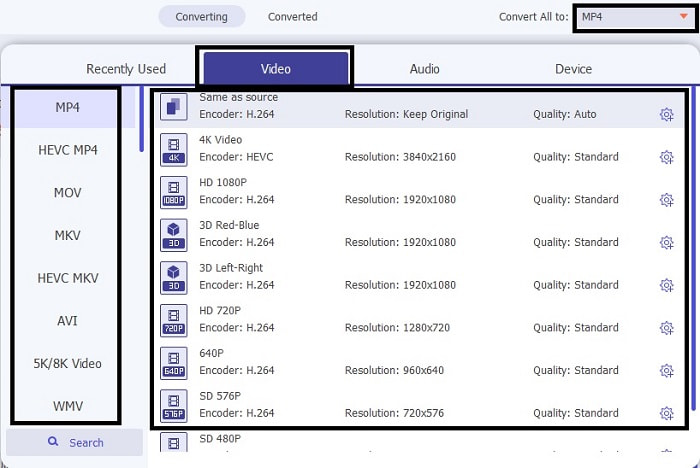
ステップ4. アニメーションGIFをMP4に変換する処理を開始するには、Convert Allをクリックします。数秒待てば、すぐに出力が完了します。
![[すべて変換]をクリックします](/images/2021/10/click-the-convert-all.jpg)
ステップ5. 変換が完了したら、画面に表示されるフォルダを開いて、MP4ファイルを確認します。
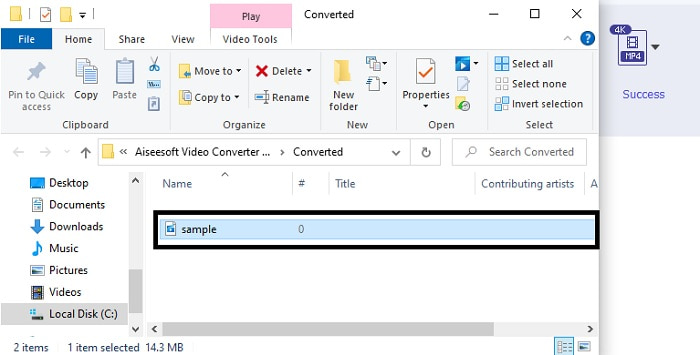
FVC Ultimate VideoConverterによる追加のツール機能
これは、このコンバーターが提供できる最高の機能の1つです。ツールを購入すると、追加料金なしでこの機能を使用できます。このツールが何であるかを考えているかもしれません。それでは説明しましょう。場合によっては、変換プロセスの後、作成したビデオが少しぼやけてしまうことがあります。しかし、それを解決するために、最新かつ最新のビデオエンハンサーを紹介しましょう。使用方法については、以下の手順に従ってください。
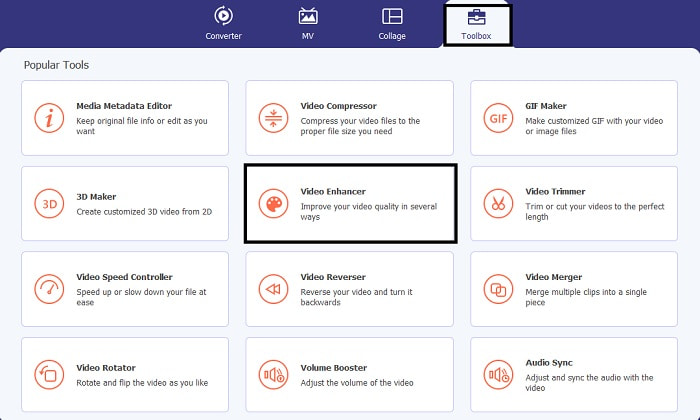
ステップ1. コンバーターのツールバーに移動し、VideoEnhancerを見つけてクリックします。
ステップ2. 先ほどGIFからMP4に変換したいファイルを選択し、プラスアイコンをクリックして読み込み、強化します。ファイルを選択したら、開くをクリックしてツールに読み込ませます。
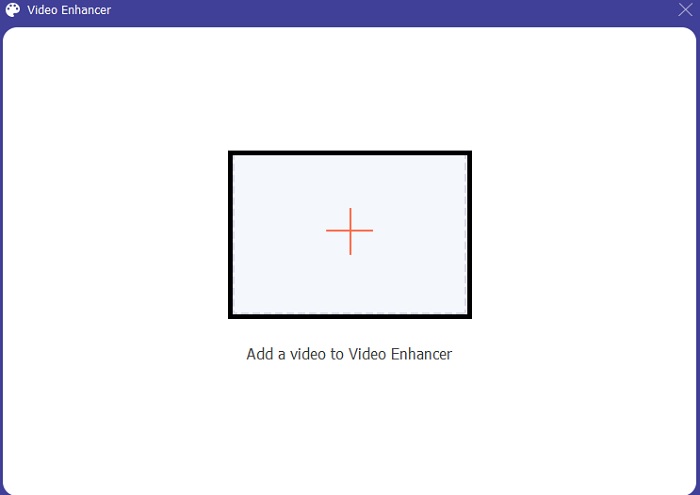
ステップ3. エンハンサーは新しいウィンドウで起動します。そこでチェックボックスにチェックを入れて、動画をグレードアップ/強化します。編集が終わったら、Enhanceボタンをクリックします。
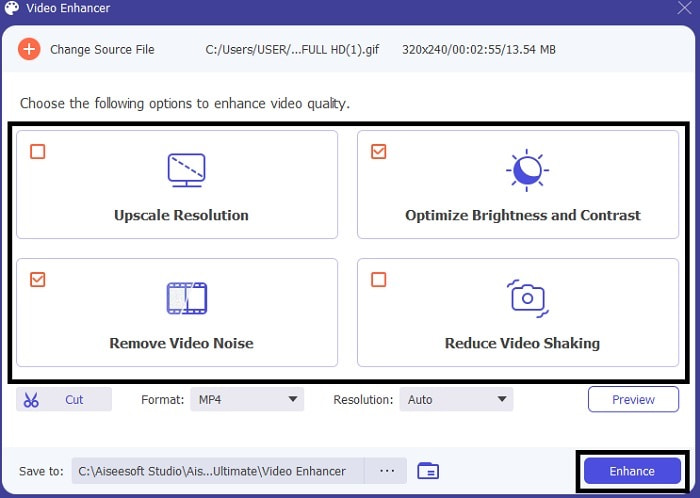
ステップ4. 強化された動画を再度確認したい場合は、インターフェースに表示される最初の動画ファイルをクリックします。
2. Photoshop
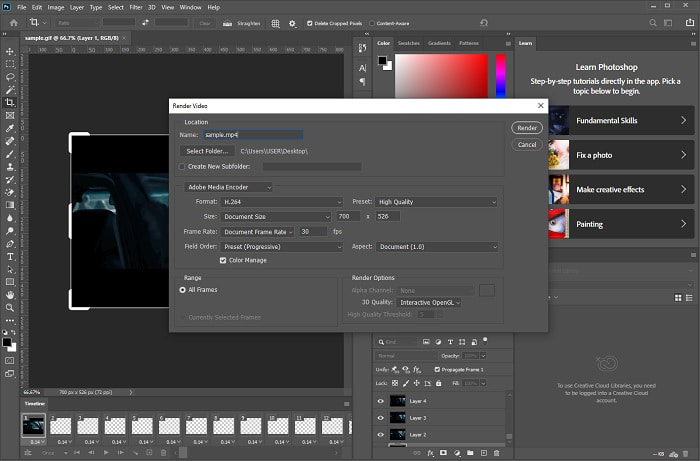
多くの人はPhotoshopを画像の補正や編集ツールとして認識していますが、実は変換機能も備えています。そのため、このツールを使えば、PhotoshopでGIFをMP4に変換することもできます。ただし、対応フォーマットが限られており、操作も難しいため、メインのコンバーターとして使うのはおすすめできません。変換が初めてであれば、これは最後の手段と考えたほうがよいでしょう。一方で、同程度に操作が難しいツールでの変換経験がある場合は、試してみる価値はありますが、このツールに変換のすべてを期待しすぎないほうが無難です。それでも写真編集においては、私たちを驚かせ続けているのも事実です。
3.FVC無料ビデオからGIFメーカーへ
FVC Free Video to GIF Makerを使えば、GIFをMP4として保存する方法を学べます。変換に悩んでいるなら、これが解決策になるかもしれません。このツールは、先ほど紹介した究極版コンバーターの無料版にあたります。そのため、かなりの機能が期待できますが、編集機能は有料版でのみ利用可能であり、この無料版には含まれていません。それでも、シンプルな変換だけが目的なら、Photoshopよりもはるかに使いやすいツールです。GIFファイルを修正・変換したい場合は、以下の手順に従ってください。
ステップ1. GIFをMP4に変換するには、まずツールをダウンロードしてPCにインストールします。
無料ダウンロードWindows 7 以降対応安全なダウンロード
無料ダウンロードMacOS 10.7 以降対応安全なダウンロード
ステップ2. デスクトップに表示されたアイコンをクリックしてコンバーターを起動します。そのあと、変換したいGIFファイルをドラッグしてインターフェースに読み込みます。
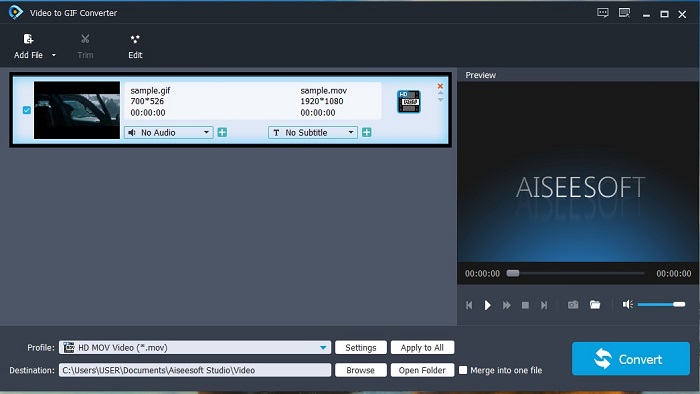
ステップ3. コンバーターのサブメニューで、出力形式をMP4に変更します。
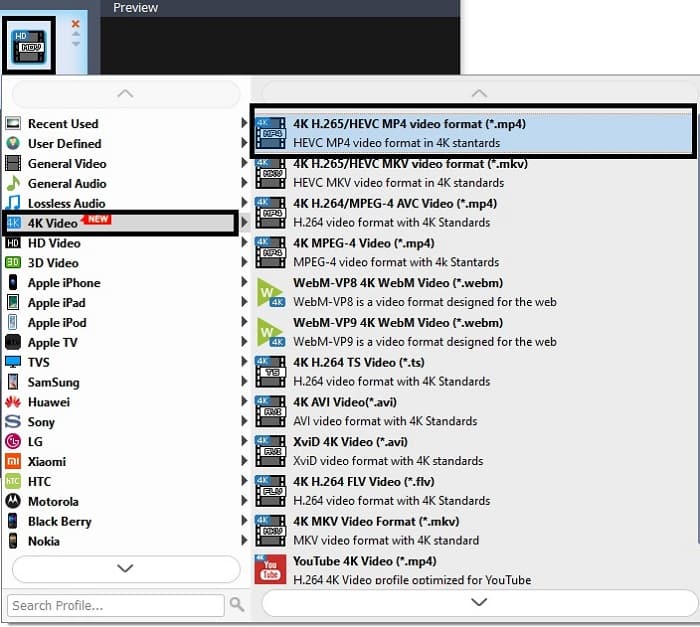
ステップ4. Convertをクリックして、変換処理を開始します。
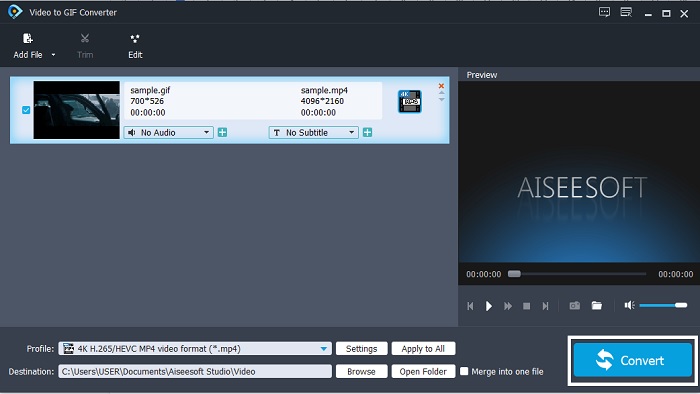
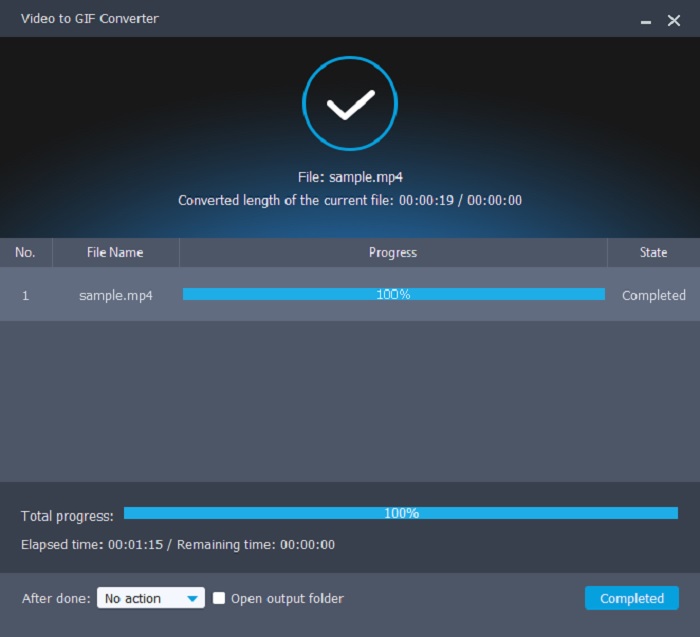
ステップ5. すべての処理が完了したら、ファイルマネージャーを開いて該当ファイルを探し、再生してから共有しましょう。
4. QuickTime
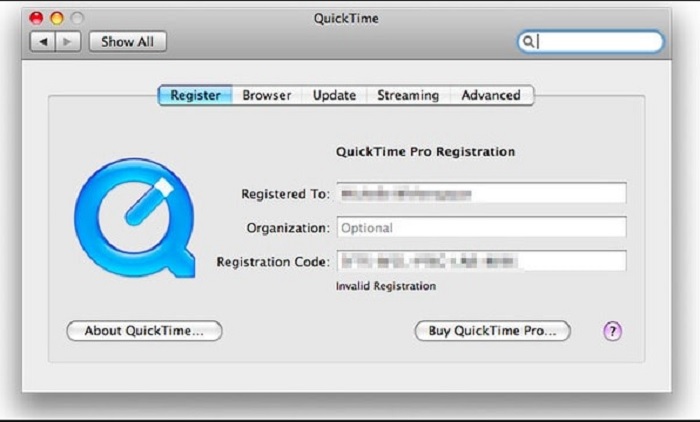
QuickTimeは、ほとんどすべての形式の再生に対応していますが、Photoshopと同様に変換機能も備えています。そのため、QuickTimeでGIFをMP4に変換することも可能です。しかしPhotoshopと同じく、このツールは本来、変換ではなく動画再生のために作られています。コンバーターとして使おうとすると、音声の変換に特に手間がかかり、変換完了までに10~12ステップ程度を踏む必要があることを覚悟しなければなりません。
関連記事:
パート3。iOSとAndroidでGIFをMP4に変換するための3つのベストソリューション
1.GIFクラッカー-GIFからビデオへ
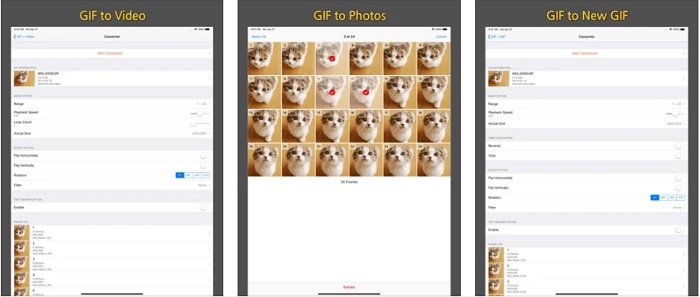
このアプリはAndroidとiOSの両方で利用できますが、ユーザーインターフェースは同じではありません。また、GIF Cracker - GIF to Videoの品質も、両OSで差があります。iOS版では4.3の高評価なのに対し、Android版は2.7にとどまっています。そのため、iOS端末をお持ちなら、ぜひこのツールを試してみる価値がありますが、Androidユーザーでも、もちろん利用は可能です。ただし、ここでは旧バージョンが配布されているため、あまり過度な期待をしないほうがよいかもしれません。
2.GIFからMP4
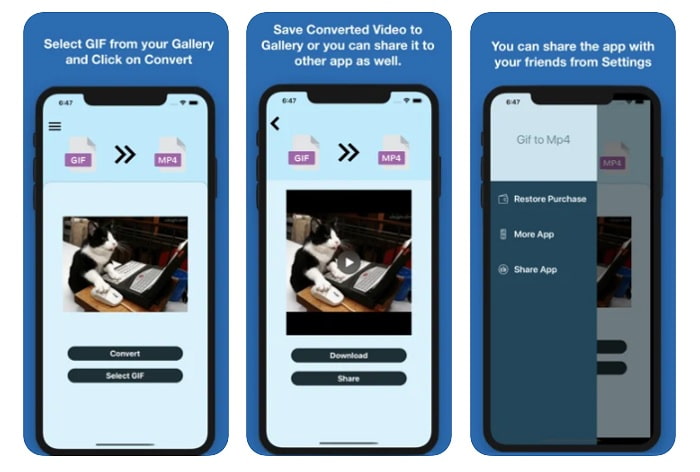
iPhoneでGIFをMP4に変換するには、GIF to MP4アプリが役立ちます。優れた変換体験を求めるなら、iOSでこのアプリを試してみてください。これまでのところ評価やレビューも良好で、星4.7を獲得しています。ただし、このアプリでできるのは一方向の処理のみで、編集機能は搭載されておらず、純粋な変換専用です。しかし、あなたが探しているのは「最高のコンバーター」なので、それは大きな問題ではないかもしれません。場合によっては、変換が完了しても、直前に変換したファイルの保存場所が分からなくなることがあります。また、変換したファイルを一括管理する内蔵ライブラリも備わっていません。
3.GifからMP4へのコンバーター| GIFをビデオに組み合わせる
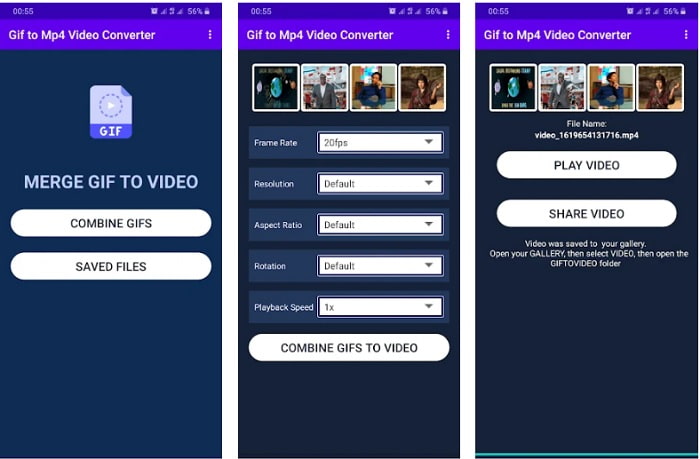
このツールはAndroidデバイス専用で利用できます。Gif to Mp4 Converter | Combine Gifs into Videoは、先に紹介した2つのスマホ用ツールとは異なり、編集機能を備えています。ただし、編集機能がある一方で、未解決のバグがいくつか残っているため、多くのユーザーは使用を敬遠しているようです。それでも、操作が簡単で、多用途に使えることから、背景を透明にしたままGIFをMP4に変換したいユーザーの一部には、いまだに支持されています。
パート4。GIFからMP4に関するFAQ
GIF形式はひどいですか?
正直なところ、GIFはまだ使用できますが、私たち自身とテクノロジーが日々進化しているためです。他のいくつかのテクノロジーは、前進するにつれて面白くなくなります。たとえば、GIFには8ビットとの256色の組み合わせしかありません。この場合、それは時代遅れであり、より高いビットレートでより多くの色をサポートするが、ストレージではより少ない新しいフォーマットがあります。 APNG、WebP、AVIFなどのように。
GIFを作成できますか?どのツールを使用すればよいですか?
はい、FVC Video Converter Ultimateを使えば、自分だけのGIFを作成できます。その機能のひとつとしてGIFメーカーが搭載されているので、最高におもしろく、ユニークで、魅力的なGIFを思う存分作成できます。ほかのオンラインGIFメーカーについては、こちらをクリックして確認してください。
GIFにサウンドを追加できますか?
GIFは純粋なデジタル拡張画像およびアニメーションですが、この形式ではサウンドを保存できず、保存することもありません。
結論
総合的に見ると、GIFの変換はデスクトップ、ノートPC、スマートフォンのどれを使っても、決して難しい作業ではないとわかります。ただし、効率よく行うには、FVC Video Converter Ultimateを選ぶのが最適です。安価で生産性の低いツールに時間を費やす必要はありません。このツールなら、自分なりのこだわりを反映させた変換ができます。FVC Video Converter Ultimateを使えば、一度にいくつものファイルをまとめて変換し、その後に強化や編集を行うことも可能です。高品質な出力を得るにふさわしいあなたには、それを実現できるこのツールこそが最適な選択肢です。
-
 GIF をトリミングするためのオンラインおよびオフラインの最高の GIF クロッパーを選択する [2025]
 最適なトリミングツールを選択する必要があり、一部のGIFメーカーはこの機能を提供していませんでした。しかし、使用するのに最適なGIFトリミングツールとその使用方法は何ですか?
-
 PCおよびMac用のGIFレコーダーでGIF形式を記録するための5つの最良のオプション
 GIFを記録するために使用する必要がある最高のGIFレコーダーは何ですか?以下のリストは、どれが最高のスクリーンレコーダーであるかについての証拠を提供します。
-
 MPGをGIF形式に変換する方法[オンラインおよびオフライン]
 もっと良い感情を表現したいですか?次に、代わりにGIFを使用する必要があります。この記事では、MPGファイルをGIFに変換して、気分をより良く表現する方法を説明します。
