

3 Easy Steps to Convert Video

1. Add video file

2. Select output format


3. Start converting
FVC Free Video Converter Online is a free tool for converting popular video and audio files. It supports a wide range of formats, including MP4, FLV, MKV, MOV, M4V, MTS, TS, M2TS, WMV, ASF, VOB, MP3, AAC, and more. Convert HD videos to popular formats such as MP4 and FLV while maintaining high output quality. Its desktop version can also convert multiple video or audio files in batches with faster speed.
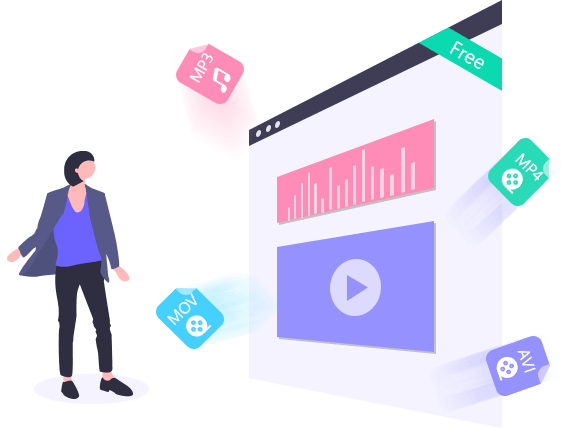
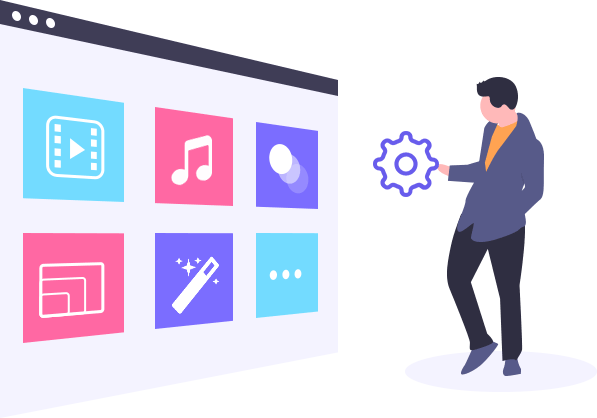
In addition to format conversion, FVC Free Video Converter Online lets you customize key video and audio settings before conversion. You can adjust the video bitrate, sample rate, frame rate, and resolution, as well as the audio bitrate, sample rate, and volume. These options give you more control over the quality and size of your output files.
Easy to Use
Convert your video or audio files in just three simple steps with an intuitive interface.Support Popular Formats
Convert various video/audio formats, including MP4, FLV, TS, AVI, MOV, WMV, MKV, MP3.Customize Output Settings
Adjust video/audio bitrate, sample rate, frame rate, resolution, volume and more.No Watermark
Convert your media files without adding a watermark to the output video.Multiple Output Formats
Choose from multiple output formats to meet your conversion needs.Safe and Reliable
The conversion is safe and stable. No data will lose during the conversion process. Video Converter Ultimate
| Features | Free Video Converter Online | Video Converter Ultimate Video Converter Ultimate |
| Internet connection | Needed | Unnecessary |
| Convert video/audio to | MP4, MOV, MKV, AVI, FLV, WMV, MP3, AAC, FLAC, and other popular formats | 1000+ formats |
| Output Quality | Up to 1080p | Up to 4K |
| Conversion speed | normal | Up to 120× faster |
| Hardware accelerating technology |  | Graphics card image processing & CPU level video decoding/encoding tech make the fastest video converter worldover. |
| Editing tool | | Crop, rotate, trim, filters, basic effects, subtitles, audio track, watermark, etc. |
| Batch conversion | |  |
| Enhance video to higher image/sound quality | | |
| Merge multiple video/audio files into one | | |
| Compress large video/audio files | | |
| MV Maker | | |
| Preview your media file | | |
| Try converter | Try Free Tool | Try Pro Version Try Pro Version |
| System Requirements | Supported OS: Windows 11, Windows 10, Windows 8, Windows 7, macOS 10.7 or above Processor: 1GHz Intel/AMD CPU or above RAM: 1G RAM or more |
| Video | MPG, MPEG-1, MPEG-2, MPEG-4, H.264, H.264/MPEG-4 AVC, DivX, XviD, AVI, FLV, MP4, M4V, MKV, MOV, 3GP, 3G2, MTV, SWF, WMV, ASF, DPG, TS, DV, VOB, AMV, WebM |
| Audio | AAC, AC3, AIFF, AMR, AU, FLAC, M4A, MKA, MP2, MP3, OGG, WAV, WMA |
| Image | GIF |

I can’t find another tool which is better than this one. The converted MP4 file is the same as its original in quality.

It only takes me a few seconds to convert my FLV file to MP4. The fast conversion speed really surprised me!

Really good experience! It impressed me a lot that the converted can convert to nearly all video formats. Very recommended.
How to adjust volume with FVC Free Converter Online?
As you input your video file, click the gear icon on the top right, find and drag the volume slider left or right to adjust the volume.
How can I convert audio with this free converter?
To convert the audio in this free video converter, you need to add the audio file to it, select output audio format, and click Convert button to start changing audio file.
Can I convert 4K video to MP4?
Yes. There is no input format limitation in this free tool. What you need to do is just add the 4K video to the platform. After adjusting all settings, click Convert button to start converting 4K video to MP4.


Copyright © 2026 FVC Studio. All rights reserved.


 Video Converter Ultimate
 Screen Recorder
 Video Repair


By Elijah
It’s a web-based tool, so I can convert videos without installing any software.
By Liam
It is the best converter I have used. It can be easily handled without any difficulty.
By Gabriel
I can convert several video clips at once and use the same output format for all of them. It’s really convenient.