


 Video Converter Ultimate
 Screen Recorder
 Video Repair
 Secure Download
Top 4 Picks for the Best External CD/DVD Drive [2024]
With the continuous patronization of online streaming platforms like Netflix and more, people thought that physical media was losing its way. But no, in fact, discs are becoming relevant once again. However, most laptops and computers today do not have built-in optical drives, making external CD/DVD drives more valuable than ever.
With so many options available, finding a drive that combines compatibility, speed, and durability can be challenging. That’s why in this article, we’ve selected the four best external CD/DVD Drives for 2024, each offering excellent features for different needs.

Part 1. Best External CD/DVD Drive
Most modern computers now omit built-in disc drives from their features and functionality. With this, an external optical drive is the perfect solution for those who want to play, rip, or burn movies and shows available only on physical media. The following are the four picked external CD/DVD drives to check on:
ASUS BW-16D1X-U Blu-ray Drive
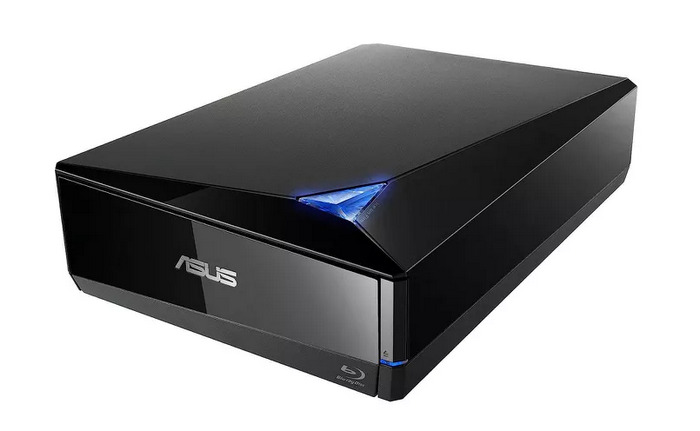
Pricing: $168
The ASUS BW-16D1X-U Blu-ray Drive is a versatile drive that supports Blu-ray, CD, and DVD formats. It features a sleek design and a USB 3.0 connection, which allows fast data transfer and reliable performance for both Windows and macOS users. This drive is a solid choice for those who frequently work with Blu-ray discs.
Pros
- Supports Blu-ray, CD, and DVD.
- Fast USB 3.0 connectivity.
- Stylish, compact design.
- Works with Windows and macOS.
Cons
- Higher price point.
- Bulkier compared to smaller DVD-only drives.
LG GP65NB60 External Drive
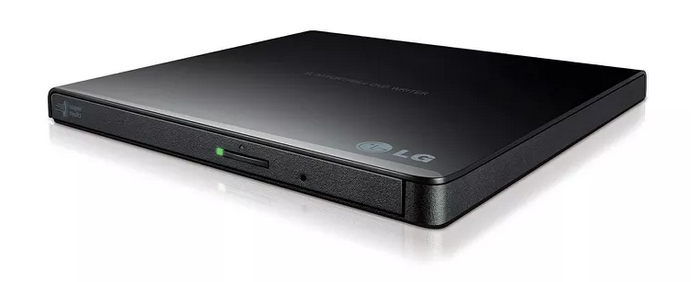
Pricing: $29
The LG GP65NB60 is a lightweight, budget-friendly DVD drive that’s easy to carry around. This slim device is ideal for users who need a basic CD/DVD drive and value portability. It offers plug-and-play support with USB 2.0 and 3.0 and is compatible with both Windows and macOS, making it an excellent travel companion.
Pros
- Slim and portable.
- Affordable.
- Plug-and-play setup.
Cons
- No Blu-ray support.
- Slower data transfer compared to USB 3.0-only drives.
Dell DW316 External USB Slim DVD Drive
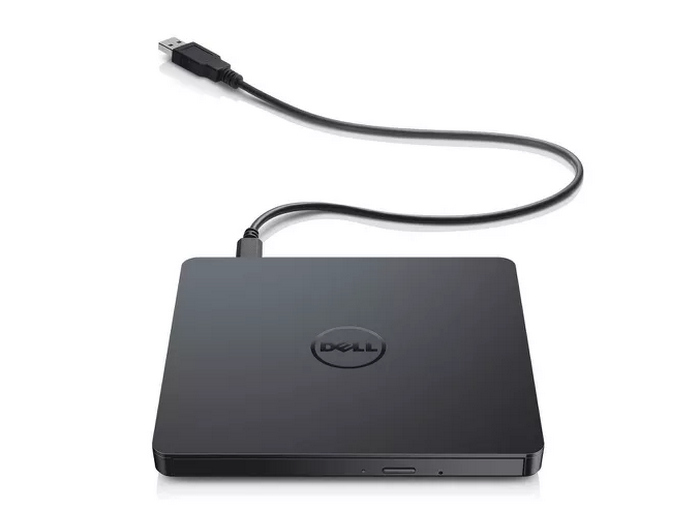
Pricing: $33
Dell’s DW316 external drive is a reliable and affordable option for basic CD and DVD needs. It features a sleek design that complements Dell laptops, but it’s compatible with other brands as well. Its simple setup and compact form make it ideal for users who want a no-fuss drive for daily CD/DVD use.
Pros
- Compact and sleek design.
- Plug-and-play functionality.
- Compatible with Windows and macOS.
- Great value for the price.
Cons
- No Blu-ray support.
ASUS ZenDrive
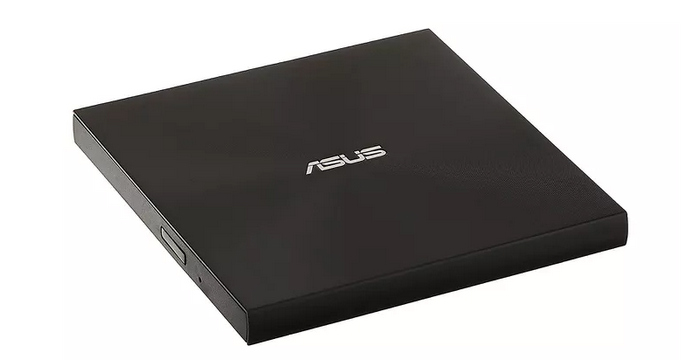
Pricing: $30
The last best external free CD/DVD drive is the ASUS ZenDrive. This is a compact, budget-friendly CD/DVD drive that’s ideal for everyday use. While it doesn’t support Blu-ray, it offers reliable performance for CDs and DVDs, with fast read and write speeds. Its ultra-slim design, including CyberLink software, and support for M-Disc burning make it a great choice for secure data storage and portability.
Pros
- Ultra-slim design.
- Optional encryption.
- Comes with software and cloud storage.
Cons
- Higher price than DVD-only drives.
- Lacks some of the premium features of desktop Blu-ray drives.
Part 2. AnyMP4 DVD Ripper
Using an external CD/DVD drive is very easy. It’s a simple solution for accessing your physical media on modern computers that may lack built-in drives. If you want to digitize your DVD content for backup or easier playback, AnyMP4 DVD Ripper is a great choice.
AnyMP4 DVD Ripper is a powerful tool that supports a wide range of input sources, including DVDs and Blu-rays, and can convert them into popular formats like MP4, MKV, ISO, and more. With this software, you can easily create digital copies of your DVDs, ensuring your media is safely backed up and ready to watch on any device, anytime and anywhere.
• Convert DVD to digital video for PC and mobile playback, including MP4, MKV, AVI, MOV and more.
• Supports 500+ output formats and direct profiles for iPhone, Android devices, Apple TV, game consoles, and more..
• Uses hardware acceleration and advanced encoding to deliver fast, high‑quality DVD ripping..
• Batch conversion lets you rip multiple DVDs or titles at once.
• Built‑in editing tools let you trim, crop, merge, add watermark, subtitles, and adjust effects before ripping.
• Customize output settings like video/audio codec, resolution, bitrate, frame rate, and more.
• Keeps original DVD structure and quality with 1:1 lossless ISO or folder backup options.
• User‑friendly interface makes ripping and editing straightforward, even for beginners.
Below are the steps on how you can use an external CD/DVD drive with AnyMP4 DVD Ripper, to digitize your DVDs:
Step 1. First, you need to download and install the tool on your device
Free DownloadFor Windows 7 or laterSecure Download
Free DownloadFor MacOS 10.7 or laterSecure Download
Step 2. Insert the DVD into your DVD drive on your computer and wait for a few minutes until it is detected.
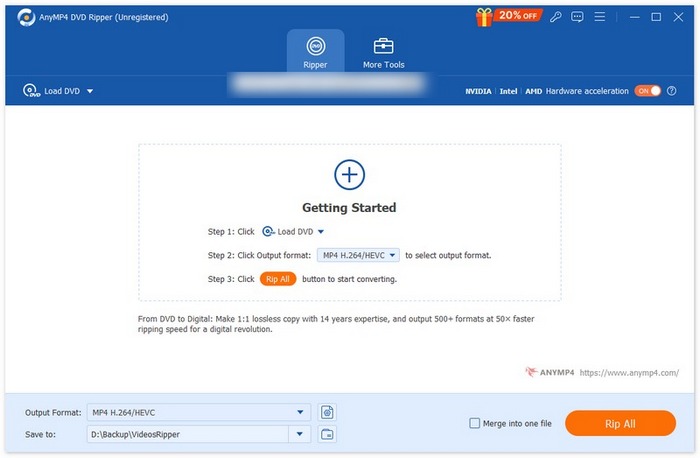
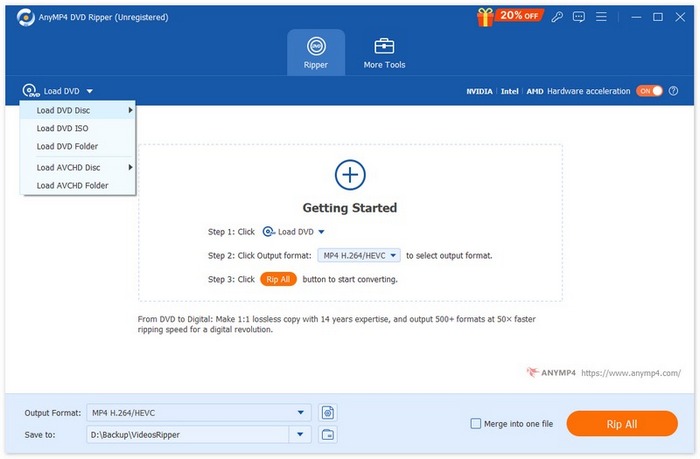
Step 3. Now, launch the tool and click the “Load DVD” button to load the disk.
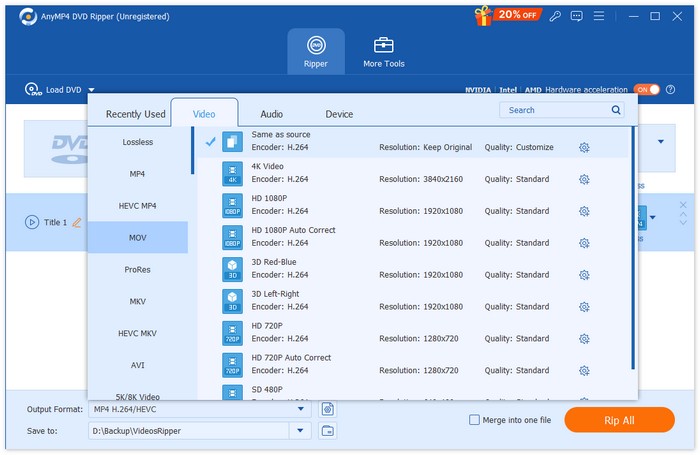
Step 4. After that, click on the “Output Format” below and choose the desired output format (e.g., MP4, MKV, AVI) or select a device-specific profile for iPhone, Android, Apple TV, etc.
Step 5. Click “Rip All” to start ripping your DVD to digital format.
Part 3. FAQs about External CD/DVD Drive
Can I use an external CD/DVD drive with any laptop or computer?
Yes, most external CD/DVD drives connect via USB, making them compatible with nearly all laptops and desktop computers that have USB ports. However, it’s best to check that the drive supports the operating system you're using, Windows, macOS, or Linux, as some models may have limitations.
How do I back up my DVD content from an external drive?
You can use software like AnyMP4 DVD Ripper to rip DVD content from your external drive to digital formats like MP4 or MKV for backup. With this, you can rip your DVDs to formats, like DVD to AVI, that will give you more flexibility to store and watch anywhere and anytime you want.
Can I use an external CD/DVD drive to play DVDs on my TV?
Yes, however, this depends on your TV’s compatibility. Some smart TVs support external USB drives for media playback, but most external CD/DVD drives are designed to connect to computers rather than TVs. A better option might be to rip and digitize DVDs on your computer and then transfer the files to a USB stick for easy playback on your TV.
Conclusion
With these four best external CD/DVD drives, you now know why an external drive is essential for easily accessing content from your physical discs. Each offers a unique set of features to match your preferences and needs. Meanwhile, if you want to digitize your DVDs and create backup files, AnyMP4 DVD Ripper is a perfect choice.
Free DownloadFor Windows 7 or laterSecure Download
Free DownloadFor MacOS 10.7 or laterSecure Download
Ready to make the most of your media? Start ripping your DVDs with AnyMP4 DVD Ripper today!
-
 3 Methods to Burn Video_TS to DVD on Windows and Mac
 Have the TS file on hand and want to save it on DVD, read this guide. We will teach you how to burn Video_TS to DVD on Windows or Mac computers in detail.
-
 How to Fix Windows Media Player Not Playing DVDs: 3 Methods
 Is the Windows Media Player not playing DVDs? It doesn't matter if your device is using Windows 7,8 or 10. You can find a solution. Here are the best players.
-
 How to Burn MP4 to DVD on Windows and Mac Exceptionally
 Come and read this post about the exceptional burning process with the best MP4 to DVD burners on Windows and Mac. Do the burning process quickly as a pro!
