


 Video Converter Ultimate
 Screen Recorder
 Video Repair
 Secure Download
AirShou Screen Recorder Review: Things You Must Know
With things being held online, such as virtual meetings and classes, sometimes we need to record them using our Android or iOS phones. Well, the need for a screen recorder tool doesn’t end here. If you want to record any activity on your phone screen, then you probably need one. If you consider installing AirShou to do this task, we’ve got you covered! In this in-depth review, we’ll examine its main features, highlight what we like, and identify areas for improvement. Also, we’ll introduce an alternative if AirShou didn’t meet your expectations. Read to learn more!

Part 1. What is AirShou Screen Recorder?
AirShou is a screen recording application for Android and iOS. It is known for its ability to record high-quality screen videos without requiring root or jailbreak access. The app offers a simple interface that allows users to start recording with just a few taps, making it popular among gamers, content creators, and educators. Moreover, this screen recording app can capture screen activity with clear audio, and it supports various resolutions and bitrates, providing users with flexibility in video quality.
Compatibility:
AirShou is compatible with iOS 9 and below versions. Any updated iOS versions are no longer compatible. For Android, devices running version 5.0 and above are compatible.
Verdict:
AirShou may have been a solid screen recorder in its time, but it’s no longer a practical choice today. With support limited to outdated iOS 9 and earlier, and the need to sideload it from unofficial sources, it’s simply not worth the hassle or the potential risks. If you’re using a modern device, it’s better to choose a current screen recorder that offers full compatibility, additional features, and active support.
Part 2. A Deeper View of AirShou Screen Recorder
Meanwhile, if you're using a device that still supports AirShou, it can still serve as a reliable screen recorder for casual use. In fact, it offers useful functions for basic screen recording needs, with options that are easy to navigate and set up. Below, let’s dive deeper into its key features, as well as its pros and cons.
Main Features:
• Records screen in HD.
• Adjustable resolution, bitrate, and frame rate.
• Supports internal and external audio recording
• Easy tap-to-start and pause recording controls.
• Lightweight, with low CPU usage.
Pros
- Beginner-friendly interface.
- No watermark on output videos.
- Produces high-quality screen recordings.
Cons
- Incompatible with modern iOS versions, like iOS 10 and above.
- No longer available on App Store or Google Play.
- Installation requires third-party sources.
Part 3. How to Install AirShou on iOS/Android?
AirShou Screen Recorder is no longer available on the App Store and Google Play. In order to download them, you need to go to their official website. For detailed steps on how you can install the tool, follow the steps below:
Method 1: Download AirShou Screen Recorder for iPhone
Step 1. On your iPhone, open Safari and search for AirShou Screen Recorder.
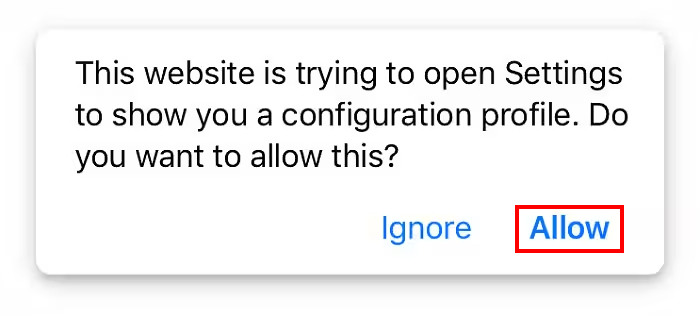
Step 2. Next, allow your iOS to install the app by tapping the Allow button.
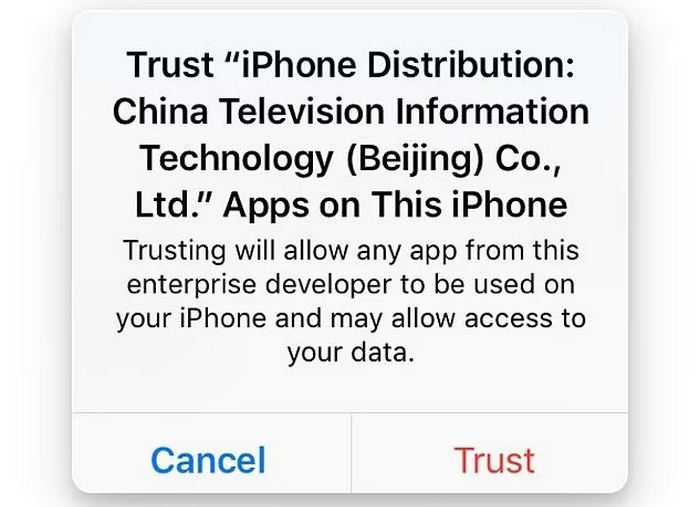
Step 3. After that, another message will appear; tap the Trust button.
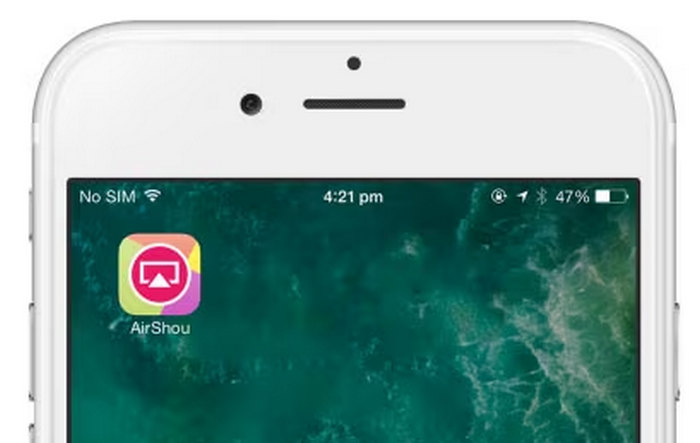
Step 4. Lastly, launch the App on your iPhone.
However, please take note that the app may not always work smoothly on all devices, especially newer iOS versions. Make sure to check if it’s running properly after installation. Also, be careful when downloading from third-party sources and avoid granting unnecessary permissions to keep your device safe.
Method 2: Download AirShou Screen Recorder for Android
Since AirShou is no longer available on the Google Play Store, Android users will need to install it manually through its APK file.
Step 1. Use your Android browser to search for and download the AirShou APK file.
Step 2. Go to your Settings and look for Security. Enable Unknown Sources to allow the installation of apps from sources other than the Play Store. This step is necessary to install the APK file.
Step 3. Once downloaded, open your Downloads folder or the location where the file was saved. Find the AirShou APK, tap on it, and follow the prompts to install.
Step 4. After installation, you’ll see the AirShou icon on your home screen. Tap on it to open the app and start recording your screen.
Note: Since AirShou is not available on official app stores, download the APK from a reliable source to avoid security risks. Always scan files for malware and be cautious with app permissions.
Click here to read more about Camtasia Recorder review if interested.
Part 4. Best Alternative to AirShou Screen Recorder
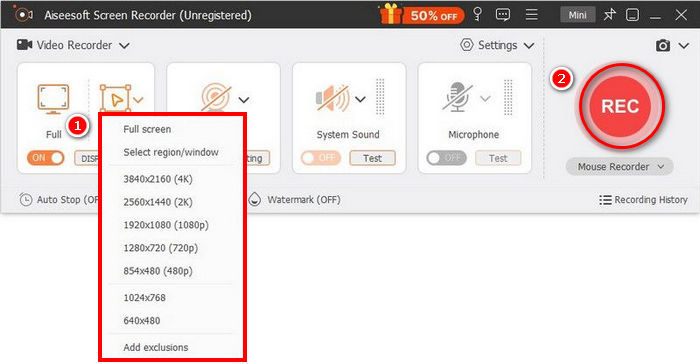
If you're hesitant about using AirShou Screen Recorder due to its outdated compatibility and indirect app installation process, a better alternative is the FVC Screen Recorder. This screen recording tool is best for its simple and intuitive interface that allows users to easily screen record their screens.
Free DownloadFor Windows 7 or laterSecure Download
Free DownloadFor MacOS 10.7 or laterSecure Download
Pros
- Allows you to record either full screen, selected window, or custom area.
- Record video calls, meetings, gameplay, and online classes
- Allows adding text, lines, highlights, and shapes while recording.
- Can record both system audio and microphone voice.
- Supports various video and audio output formats.
- Screen record videos in HD.
Cons
- The free version might feel limited.
Part 5. FAQs about AirShou Screen Recorder
Is AirShou still available on the App Store or Google Play?
No, AirShou Screen Recorder is no longer available on official app stores like the App Store and Google Play. To install it, users must download it from third-party sources, which may pose security risks.
Can I use AirShou on newer iOS or Android versions?
AirShou Screen Recorder is compatible only with iOS 9 and earlier versions. It may not function properly or at all on newer iOS versions. On Android, it supports version 5.0 and above, but installation must be done via APK files.
Does AirShou still work nowadays?
Yes, but with limitations. AirShou Screen Recorder can still work on older devices, particularly those running iOS 9 or below and Android 5.0 and up. However, it is no longer available on official app stores, and it may not function properly on newer operating systems. You’ll need to install it manually via third-party sources, which can pose security and stability risks.
Is AirShou applicable for desktop use?
No, AirShou Screen Recorder is not designed for desktop use. It was specifically developed for mobile devices, particularly Android phones and iOS devices running older versions. There is no official version of AirShou for Windows or macOS.
Conclusion
AirShou Screen Recorder is too outdated for this time. However, with its supported devices, it might work well and can be a reliable screen recording tool. Just take note of the potential security risks since it requires installation from third-party sources. If you're looking for a more secure and fully supported screen recording option, you can try other alternatives like the FVC Screen Recorder that supports a wider range of devices, including both Windows and macOS.
-
 ShareX Screen Recorder Review and How to Record Screen with ShareX
 What is ShareX screen recorder used for? How do I record my screen on ShareX? This post gives a ShareX review and shows how to record screen with ShareX.
-
 4 Best Free Web Launch Recorders to Capture Screen Video
 Looking for the best way to record onscreen activities on your desktop without paying a penny? Here are the 4 most frequently used free web launch recorders.
-
 3 Best Facebook Call Recorders for Computers, iOS, and Android
 When you want to record Facebook calls to save valuable things, there are lots of Facebook call recorders to choose from. Here you can learn the 3 best tools to record Facebook video calls for PC, iOS, and Android.
