


 Video Converter Ultimate
 Screen Recorder
 Video Repair
Free Video Converter to AVI Format : Fast Conversion with High Quality
Using the proper Free AVI Video Converter can help you save time, ensure compatibility with your device, and allow you to share your video file effortlessly and effectively. Thus, this guide exists to help you navigate the field of AVI conversion. Allow us to define what AVI conversion is and the best free AVI video converter for online, Windows, and MacBook devices. You can now read this article and discover the most effective solutions for your needs in terms of the video conversion process.

How We Test and Review
We will give you five AVI converters in this article. Every tool is tested and reviewed by these factors:
- • Conversion Speed. How fast the tools process your files.
- • Quality of Output. How clear the output is.
- • Ease of Use. If the tool is clean and easy to use.
- • Platform Compatibility. Does it support Windows, MacBook, or online processing?
- • Editing Features. Does it offer extra features like editing tools, batch conversion process, and more?
What Is an AVI Video Converter?
Let us now define what an AVI video converter means. This kind of converter is known as a software tool or an online tool that allows you to transform an AVI file into a new format such as MP4, MOV, AVI, WMV, and more, depending on your needs. The need for an AVI video converter comes from the nature of AVI, or Audio Visual Interleave, files. This is a popular video file format yet often incompatible with other modern devices and platforms. This brings us to the problem of not being able to play it. Thus, the purpose of AVI converters is to solve the issue by helping you convert files to enable smooth playback, easy sharing, and reduced file sizes. The process is possible whether you use an online tool or desktop software. Thus, having the best tool to use is important so that your files will not lose their quality.
Best Free Online AVI Video Converters
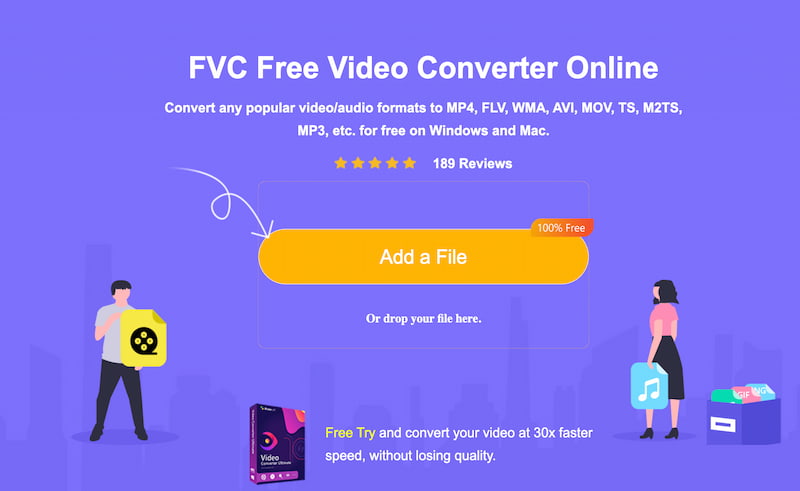
We shall now start with the first tool. FVC Free Video Converter Online is leading the line because of its effectiveness, ease of use, accessibility, and quality of the output. This free AVI video converter online probably offers everything you are looking for. Since this is an online tool, installing software is not needed; all you need to do is access its main website using your browser. From there, you will also notice that the tool cares about its users because all of its features are straightforward for a stress-free conversion process. Yet most importantly, the output it offers is high-quality. No wonder FVC Free Video Converter Online is always the first choice in this matter. Please take a look at the easy steps you should follow below:
Step 1. Access the online website in your browser. From there, click the Add a File button in the center of the interface. You can also drag-and-drop the AVI files you want to convert.
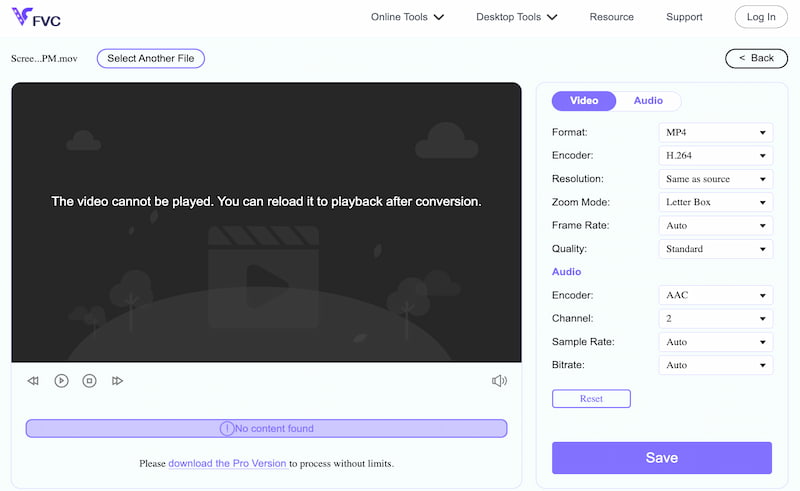
Step 2. Immediately, the tool will give you options where you can change the format of your AVI files. Select any video format you need from the drop-down selection.
Step 3. You can now proceed by clicking the Save button. The tool will now process it, and your video will be ready after a few seconds.
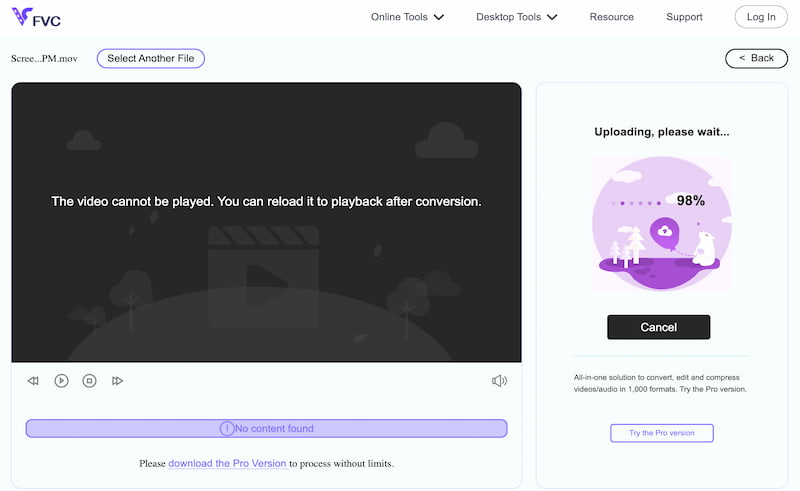
That is how effective the tool is at giving you high-quality video after the conversion. You can see that it has a streamlined process without the need to install a tool. Use it now and discover more from it.
Best Free Desktop AVI Converters (Windows & Mac)
FVC Free Video Converter
Best For: Reliable and versatile conversion process.
Price: Free
Overall Rating: 4.5/5
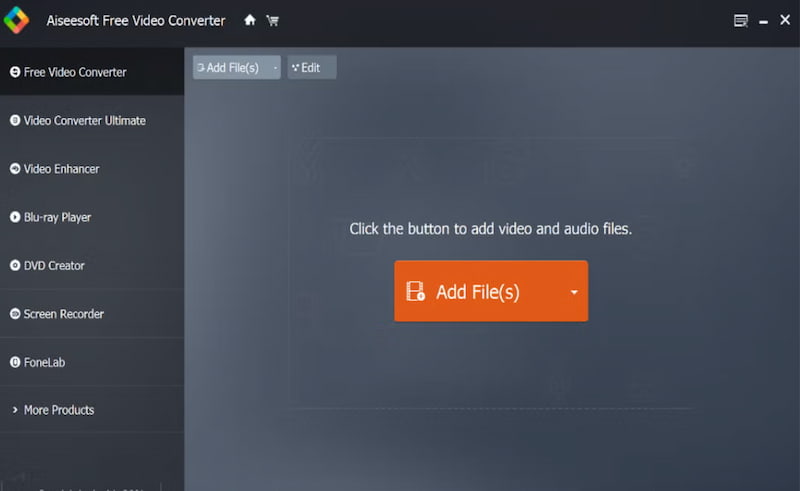
We also have tools that we can use for Windows and Mac; among these, and leading the tools, is the amazing Free Video Converter. This tool is a leading free AVI video converter download for Windows and Mac because of its amazing features that always come with high-quality results. In addition, it is equipped with advanced editing features, allowing you to edit and modify the AVI files you have in many ways.
Pros
- High-quality output.
- It has wide platform compatibility.
- User-friendly features.
- It supports numerous file formats.
Cons
- Limited advanced features.
- Basic tools in the free version.
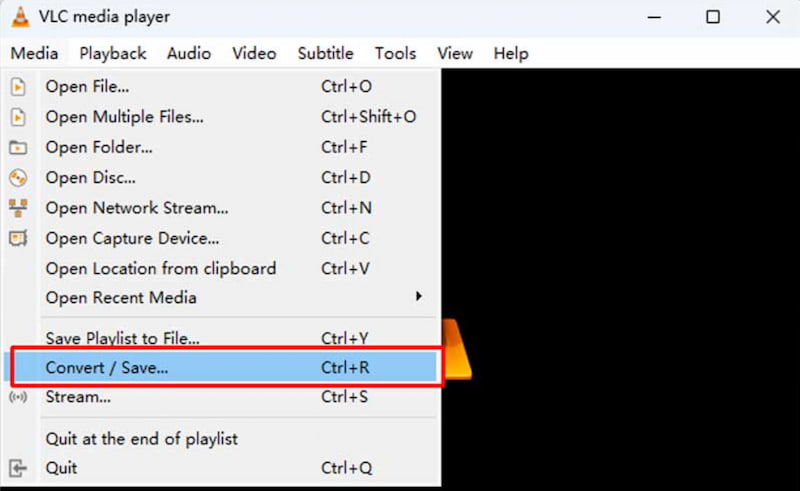
VLC Media Player
Best For: Universal playback after conversion.
Price: Free
Overall Rating: 4/5
VLC Media Player is known for its amazing features as a media player. Yet, this tool is also an option for converting AVI files. Here, you will have a lightweight tool that is compatible across any platform. It is a reliable converter for AVI with great playback ability. Yet, expect that you will not get packed advanced editing with it.
Pros
- It is free and an open-source tool.
- Offers wide platform and format support.
- It has built-in playback features.
Cons
- No editing tools for your videos.
- It has a slower conversion process.
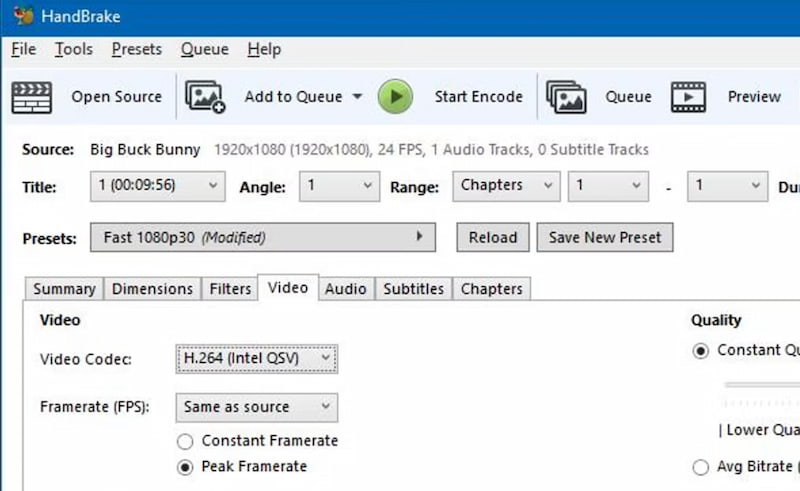
HandBrake
Best For: Advanced customization features.
Price: Free
Overall Rating: 4/5
The third on the list is also an open-source converter that can help you control video compression and encoding settings. In this tool, you can expect wide support for file formats with advanced settings suitable for media professionals and enthusiasts.
Pros
- It comes with high-quality compression.
- Wider support for file formats.
- It has advanced customization options.
- It is available for free and open-source.
Cons
- The tool might be complicated to learn.
- It is not a beginner-friendly tool.
- Large files can be slow to convert.
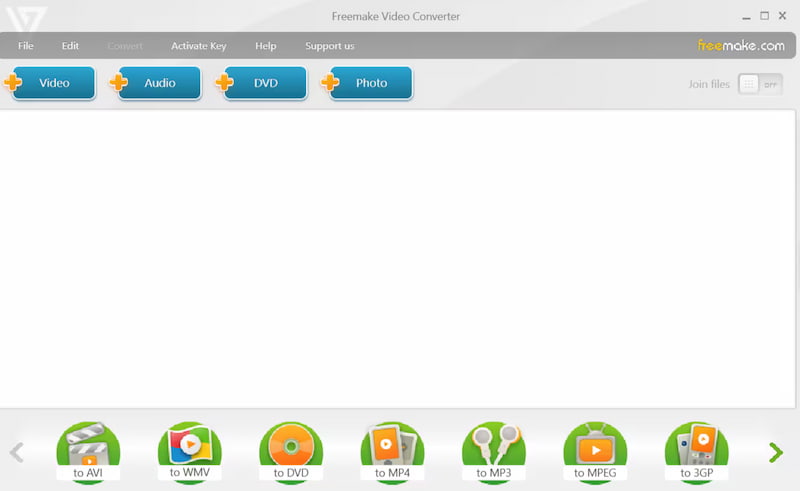
Freemake Video Converter
Best For: Easy conversion with a polished interface.
Price: Free
Overall Rating: 4/5
We also have another user-friendly tool called Freemake Video Converter. This tool can easily help you convert an AVI file into multiple output formats. This tool is ideal even for not tech-savvy users out there. However, the free version might be limited compared with other tools. In the end, it is still simple and effective to use.
Pros
- Clean interface for a simple process.
- Suitable for new users.
- It has wide format support.
Cons
- The free version has limited features.
- The tool has unnecessary ad material.
- There are also occasional prompts.
Online vs Desktop AVI Converter: Which Should You Choose?
When it comes to choosing between online and desktop, you need to know that both possess different capabilities. They can both be effective in different situations; you need to go with online converters when you want a quick, direct, and fast conversion for small tasks. While going with desktop tools if you need heavy and bulk projects.
Pros and Cons of Online and Desktop Tools
| Tool | Pros | Cons |
| Online Tool | • Accessible for everyone. • No installation needed. • Works with any device with internet. • Simple interface. • Suitable for small conversions. | • File size limits are often up to 100 MB. • Requires stable internet. • Fewer advanced features. • Slower with large files |
| Desktop Tool | • Handles large and multi‑GB files. • Faster with GPU acceleration. • Advanced editing and batch conversion. • Works offline, more reliable. | • Requires installation. • Takes up system resources. • Learning curve for advanced tools. • Paid versions for full features. |
FAQs about Free AVI Video Converter
Q: Can I convert AVI to MP4 without losing quality?
A: Yes. It is possible to convert AVI to MP4 without losing quality. You have a lot of free tools available that can help you do it. You can do it online or using a desktop process.
Q: Do free AVI video converters have a limit on file size?
A: Yes. Most of the free tools come with limitations on file size. Using these free tools will allow you to upload AVI files around 100 to 200 MB. Some users suggest that VLC can handle multi-GB files without limitation, yet they are using a more complicated tool.
Q: Are free AVI video converters online safe to use?
A: Yes. Free AVI video converters online are safe to use. They exist to give users a streamlined process of conversion without installing a tool. All of these can give you high-quality output.
Conclusion
We get to the conclusion that free AVI conversion tools are available to help us convert with ease. These tools are available online and as desktop tools, giving you options on what device to use or available for you. As a recommendation, many users love to go with FVC Video Converter Online for an easy process, while other users love to go with Aiseesoft Free Video Converter for more advanced and limitless conversion of their AVI files. Both of these tools can provide high-quality output. Get them now for free.
-
 AVI VS MP4 – Differences and Similarities between AVI and MP4 Formats
 Which is a better video format, AVI or MP4? If you want to get the detailed comparison, you can check this AVI VS MP4 article. You can know the differences and similarities between AVI and MP4 in many aspects.
-
 7 Ways to Convert AVI to MP4 [Comprehensive Guide]
 Easily convert your AVI files to MP4 with these seven effective methods. Read this article and discover which AVI to MP4 converter works best for your needs.
-
 Decide on Which is the Ideal AVI to MP3 Converter Software [PC & Mac]
 Do you want to know how to convert AVI into a MP3 audio format? In the list below you will encounter different tools and steps as well that will fit your needs.
